
This is the technical support forum for WPML - the multilingual WordPress plugin.
Everyone can read, but only WPML clients can post here. WPML team is replying on the forum 6 days per week, 22 hours per day.
Tagged: Not WPML issue
This topic contains 15 replies, has 1 voice.
Last updated by Ashraf Hesham 4 weeks, 1 day ago.
Assisted by: Ashraf Hesham.
| Author | Posts |
|---|---|
| March 9, 2026 at 12:16 pm #17881839 | |
 constanceC-2 |
This is the message I received on WP when translating content: WPML experienced an issue while trying to automatically translating some of your content |
| March 9, 2026 at 12:29 pm #17881861 | |
|
constanceC-2 |
Hello. I received an error that their are problems translating a lot of our pages. Also, some pages show that they are translated to spanish, but all the content on the spanish page is in english. Below is an example. |
| March 10, 2026 at 8:59 am #17884411 | |
 Ashraf Hesham WPML Supporter since 12/2025 |
Hi! I'm Ashraf from the WPML Dev team and I'm here to try to help you resolve any issue you encounter. I think that in your message you tried to provide an example of a page that's affected with the issue you mentioned, but I can't see any links, so I'd like to ask you for the following please: 1. Provide example/s of the pages affected by the issue. Looking forward to your feedback. |
| March 13, 2026 at 2:19 pm #17895849 | |
|
constanceC-2 |
Hello. Please confirm that you received the WordPress login info. I want to resolve these issues asap because it is effecting our website performance. Thank you. |
| March 13, 2026 at 2:43 pm #17895982 | |
|
Ashraf Hesham WPML Supporter since 12/2025 |
Hi, I tried to login using the username and password you shared, but it doesn't give me access to your site's wp-admin, I can only access the frontend. And I was also trying to get more information in my previous message, so please try to provide me information about the following: 1. Provide links to the pages affected by the issue. Regards! |
| March 18, 2026 at 1:38 pm #17908299 | |
|
constanceC-2 |
I will send you detailed information of our problem. Also, you now have admin access. Please check. Thank you. |
| March 18, 2026 at 3:19 pm #17908630 | |
 Giuseppe Toto WPML Supporter since 12/2025 Languages: English (English ) Italian (Italiano ) Timezone: Europe/Rome (GMT+02:00) |
The admin access is working now, thanks. Please provide the details my colleague asked for. |
| March 19, 2026 at 3:41 pm #17911725 | |
|
constanceC-2 |
Here is the detailed information you are seeking. Please advise when you review. Thank you. 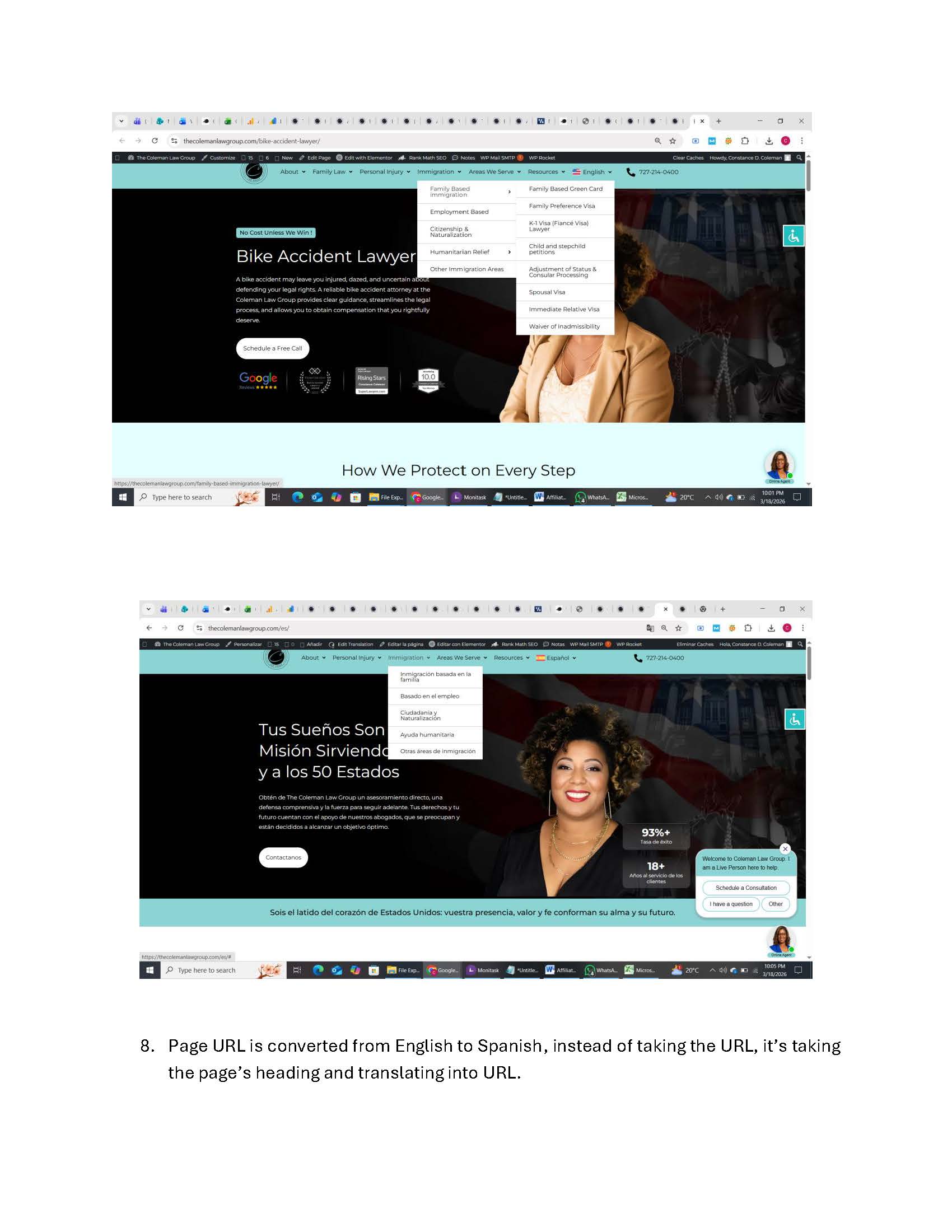 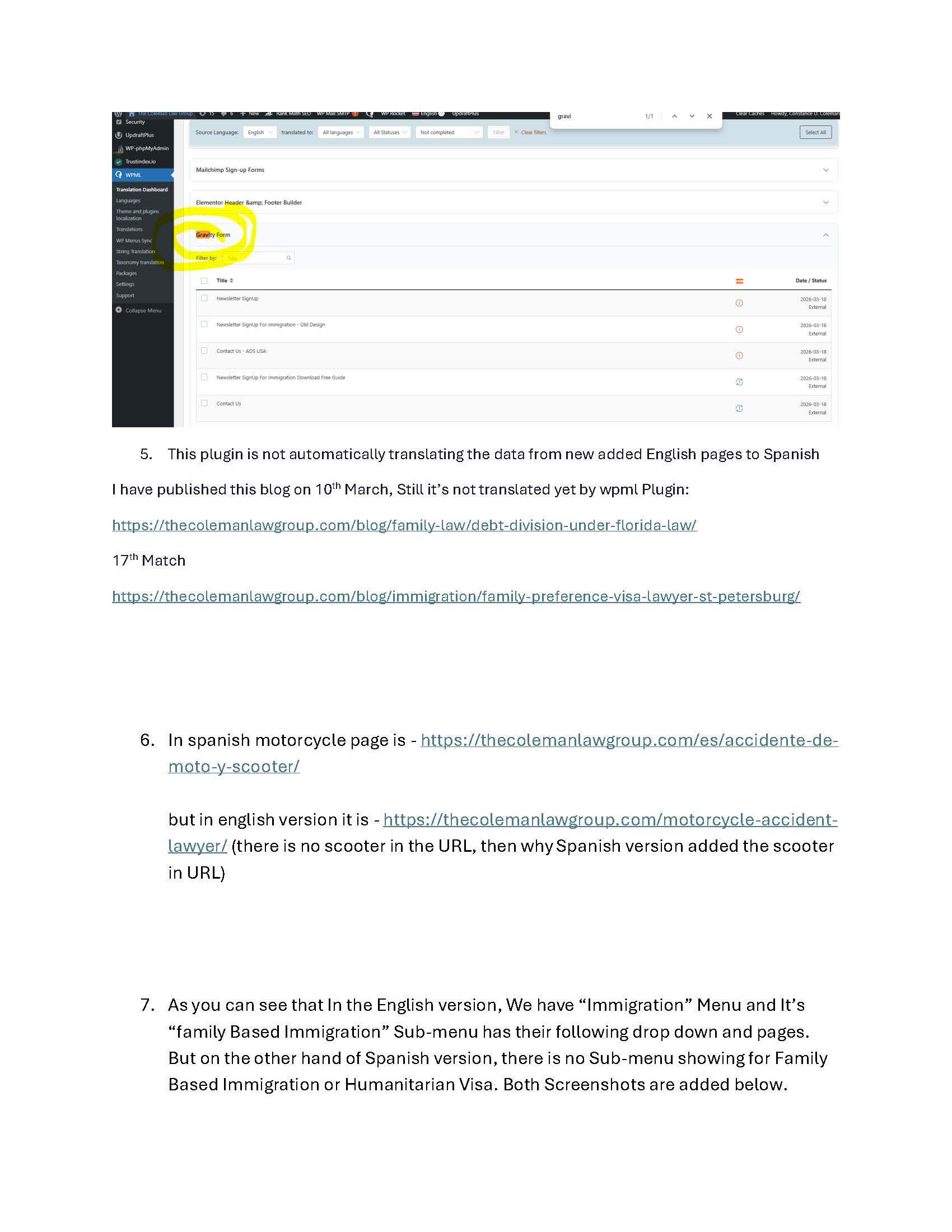 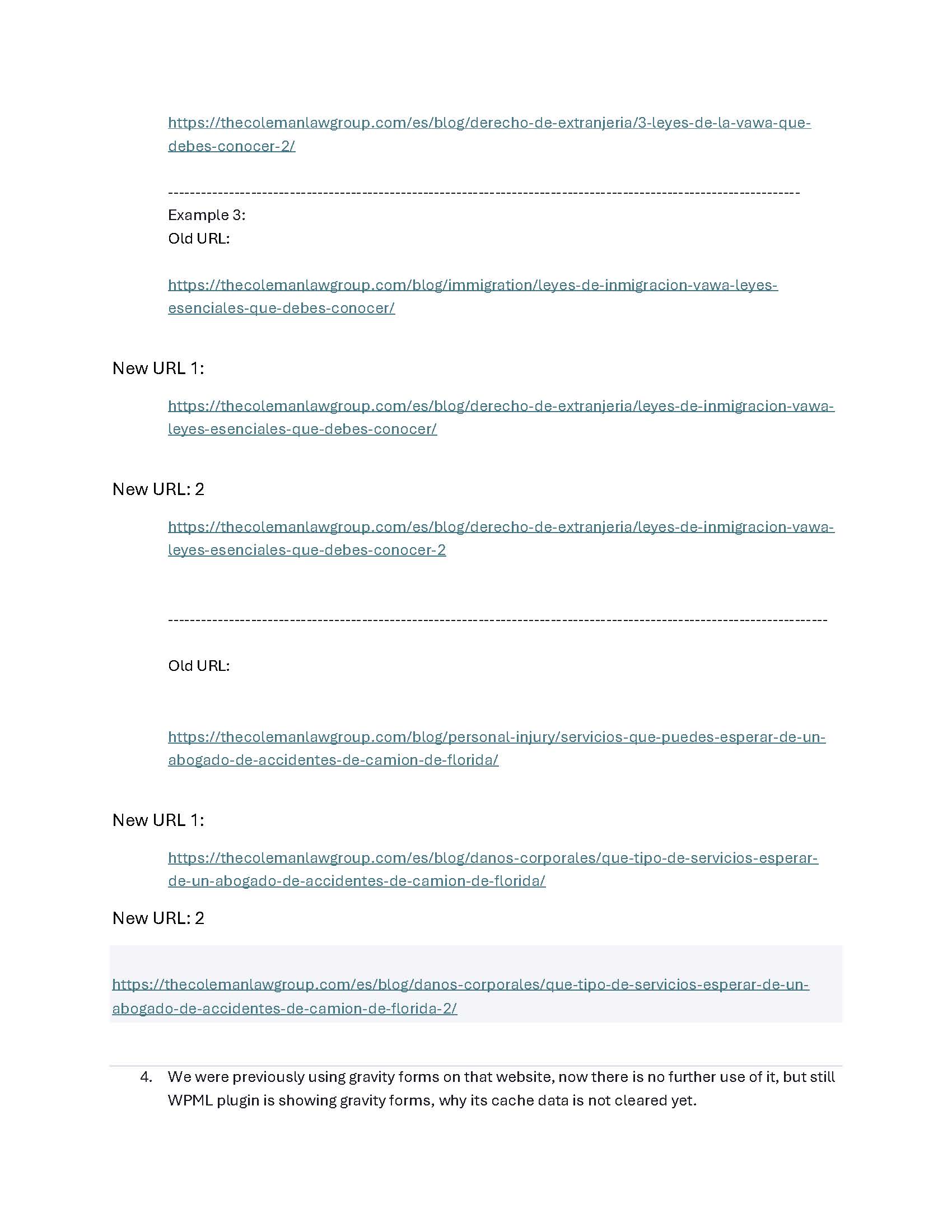 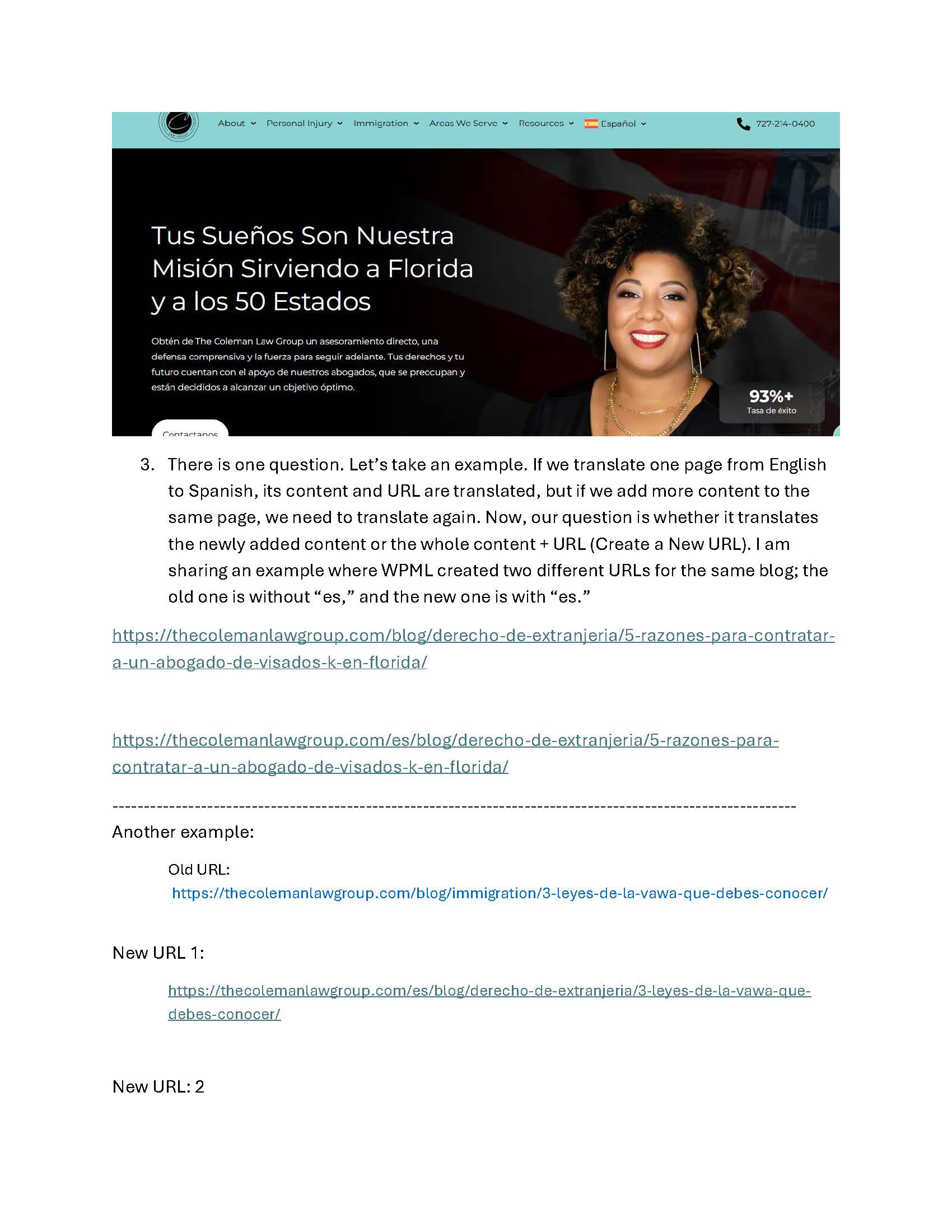 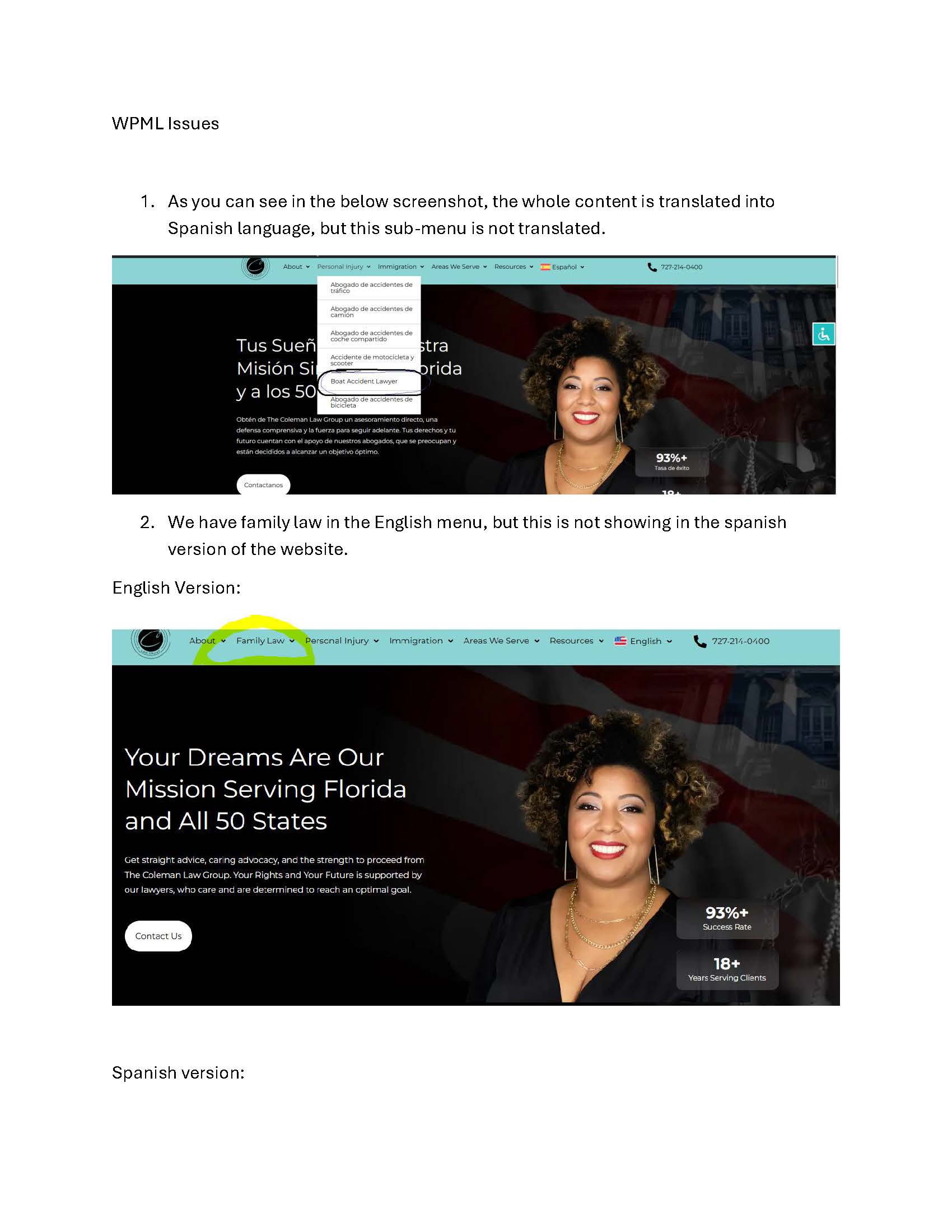 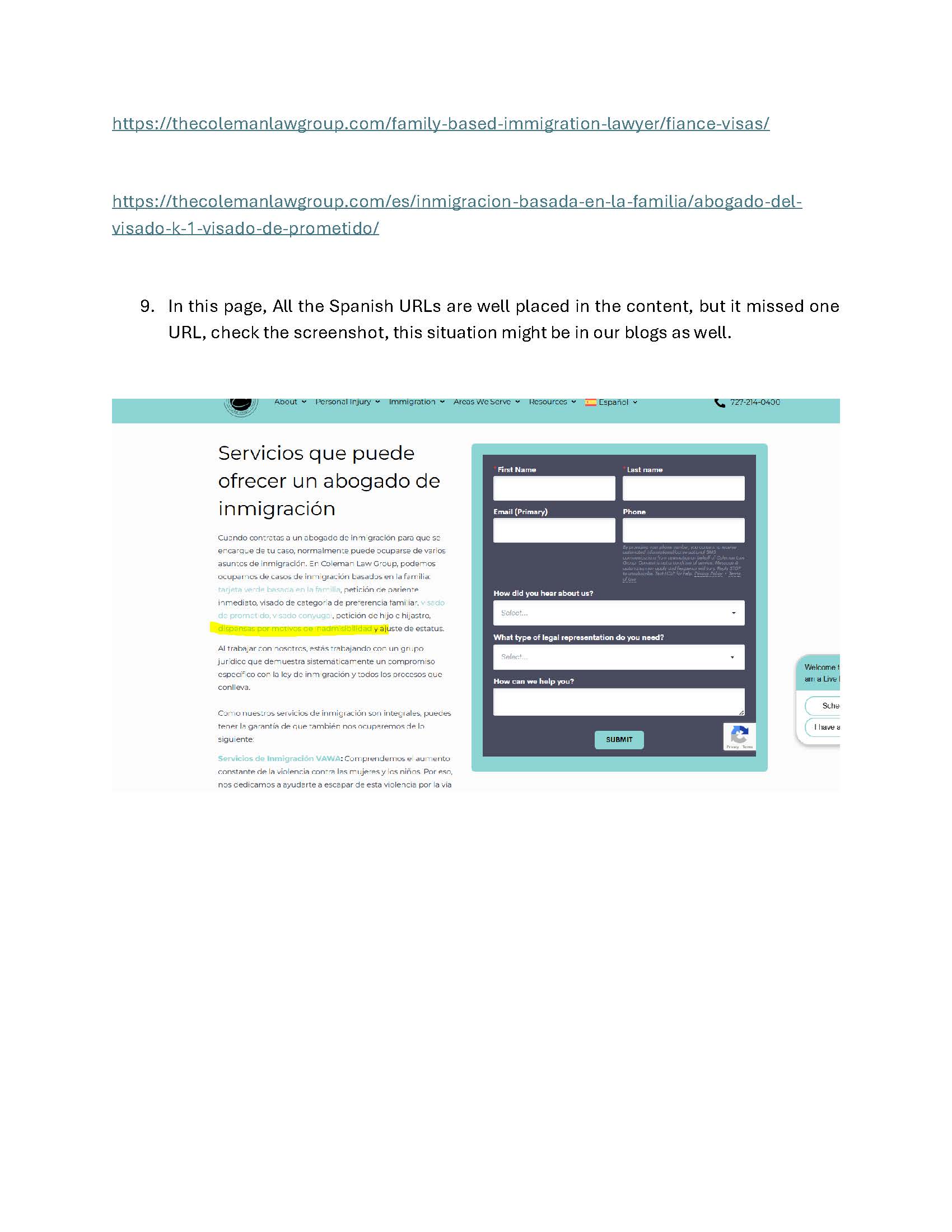 |
| March 23, 2026 at 11:46 am #17918387 | |
|
Ashraf Hesham WPML Supporter since 12/2025 |
Hi, I confirm I can login to wp-admin , I will start looking into the issue and get back to you ASAP. Thanks. |
| March 23, 2026 at 11:12 pm #17919980 | |
|
constanceC-2 |
Thank you. I will be eagerly awaiting your response. We hope to resolve this as quickly as possible. |
| March 25, 2026 at 12:28 pm #17926281 | |
|
Ashraf Hesham WPML Supporter since 12/2025 |
Hi! I have did some checks on your website and here's my feedback: 1. I noticed some pages have incomplete translations, for example translation for page "hidden link" was incomplete, once I completed its translation in Advanced Translation Editor (ATE), the menu item is now translated as well as the page. 2. Important: I noticed that many English posts have content in Spanish language instead of English language, this probably means that the post was created in English language but the Spanish content was added to it, and this will cause such posts to appear wrongly in your site, example of such post is post with ID "21124" and title "¿Puede un abogado de la VAWA protegerte de tu pareja maltratadora?" To solve this you can try one of the following ways: 3. When you add new content to page and send it to ATE for automatic translation, WPML translates new content only. We also recommend using the PTC translation engine for higher quality automatic translations, pleaser refer to https://wpml.org/documentation/automatic-translation/ for more information. 4. Regarding Gravity forms, I don’t see it in the WPML Translation Dashboard anymore, maybe when you checked it Gravity Forms were still in progress removing its content 5. WPML will translate everything automatically when you enable this option from the WPML Translation Dashboard, right now this option is disabled. Please refer to https://wpml.org/documentation/automatic-translation/translate-everything-automatically/ for more information. 6. For correctly translated menus, you need to perform Menu Sync to have menu titles and links correctly translated. Please refer to : 7. To update internal links in Posts and Strings so they point to translated content, please go to WPML → Settings → Update Internal Links, then run Scan Now and update the links. |
| March 25, 2026 at 2:28 pm #17926665 | |
|
constanceC-2 |
I cannot get past option 2 to expand the language because it only shows English as an option, even though the page is in Spanish. Please assist. Link: hidden link |
| March 25, 2026 at 2:40 pm #17926696 | |
|
constanceC-2 |
Please see how duplicate spanish pages are being corrected when we ran WPML. Please help. Here is an example: 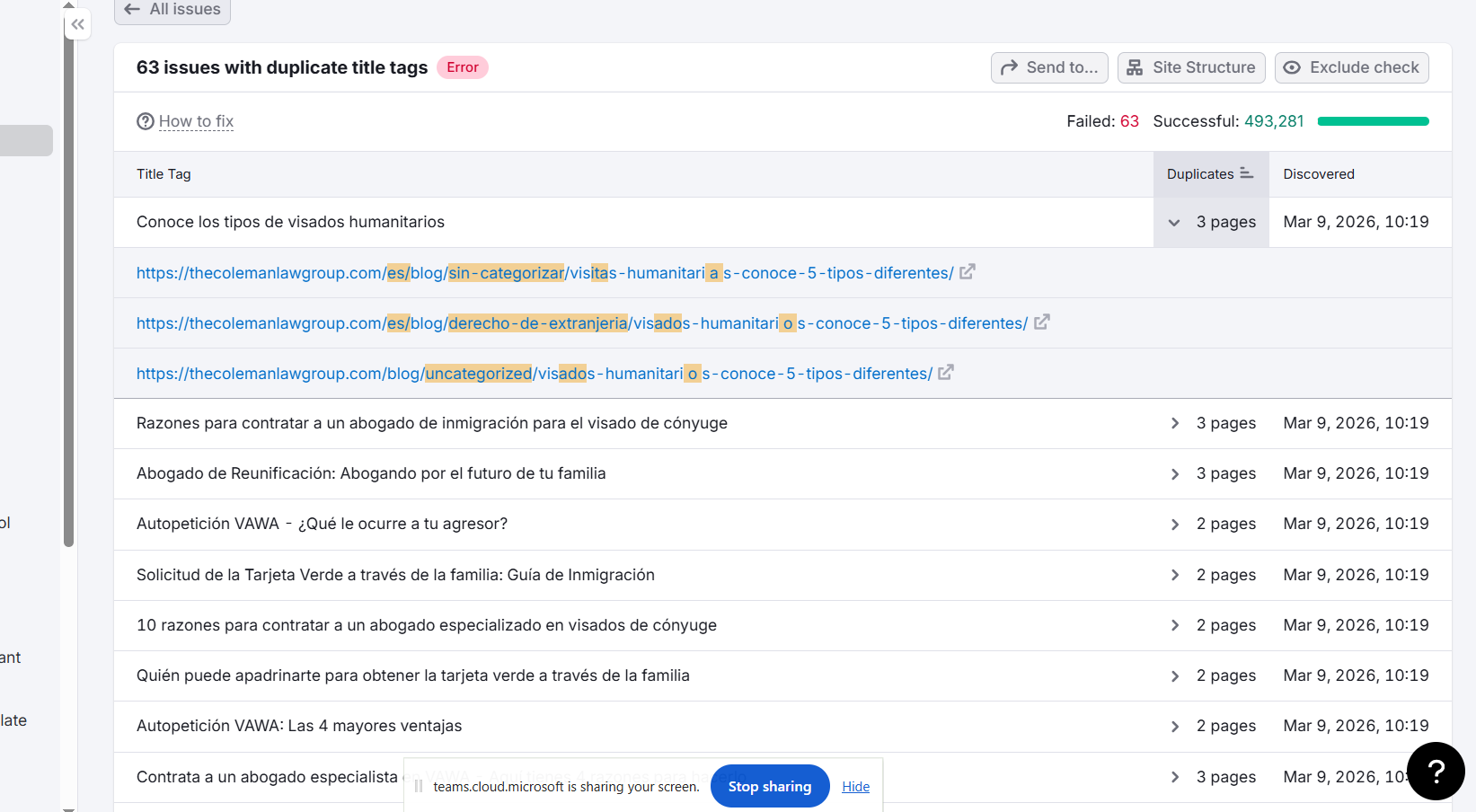 |
| March 26, 2026 at 7:55 am #17927926 | |
|
Ashraf Hesham WPML Supporter since 12/2025 |
Hi! As I mentioned before, the problem is that the post is created in English language and it contains content in Spanish, for instance take a look here : hidden link -- this post is created in "en" while its title and content are in Spanish language. As a result you can't change language of a post that's originally created in English language and already translated to other language because English is the original language of this post and WPML uses this information to determine the source and target languages when it sends content to be translated. Probably the duplicates you see are because of the same reason. So, I think the easiest solution for this case is to check all posts that are created in English language but contains Spanish content and change the content to be in English then re-send it translation so that the Spanish translation is proberly updated. Please refer to me pervious reply: https://wpml.org/forums/topic/wpml-experienced-an-issue-while-trying-to-automatically-translating-some-of-your-content/#post-17926281 |
| March 27, 2026 at 7:47 pm #17933234 | |
|
constanceC-2 |
I did the recommendation and it did create a new spanish URL page. However, now I have two URL's - one with the correct es URL and the old incorrect URL. Please let me know how to delete the old incorrect URL or to merge the old URL with the new URL. Here is an example. hidden link hidden link |