
This is the technical support forum for WPML - the multilingual WordPress plugin.
Everyone can read, but only WPML clients can post here. WPML team is replying on the forum 6 days per week, 22 hours per day.
Tagged: Documentation request
This topic contains 6 replies, has 0 voices.
Last updated by moustafaK 3 weeks, 6 days ago.
Assisted by: Otto.
| Author | Posts |
|---|---|
| January 6, 2026 at 5:08 pm #17707437 | |
 moustafaK |
[Xtemos] Single product widgets dos not appear in "Single product layout elemantor editor" In Arabic version, but it's working in English version, i try add "Frequently bought together" widget in Arabic version but not appear 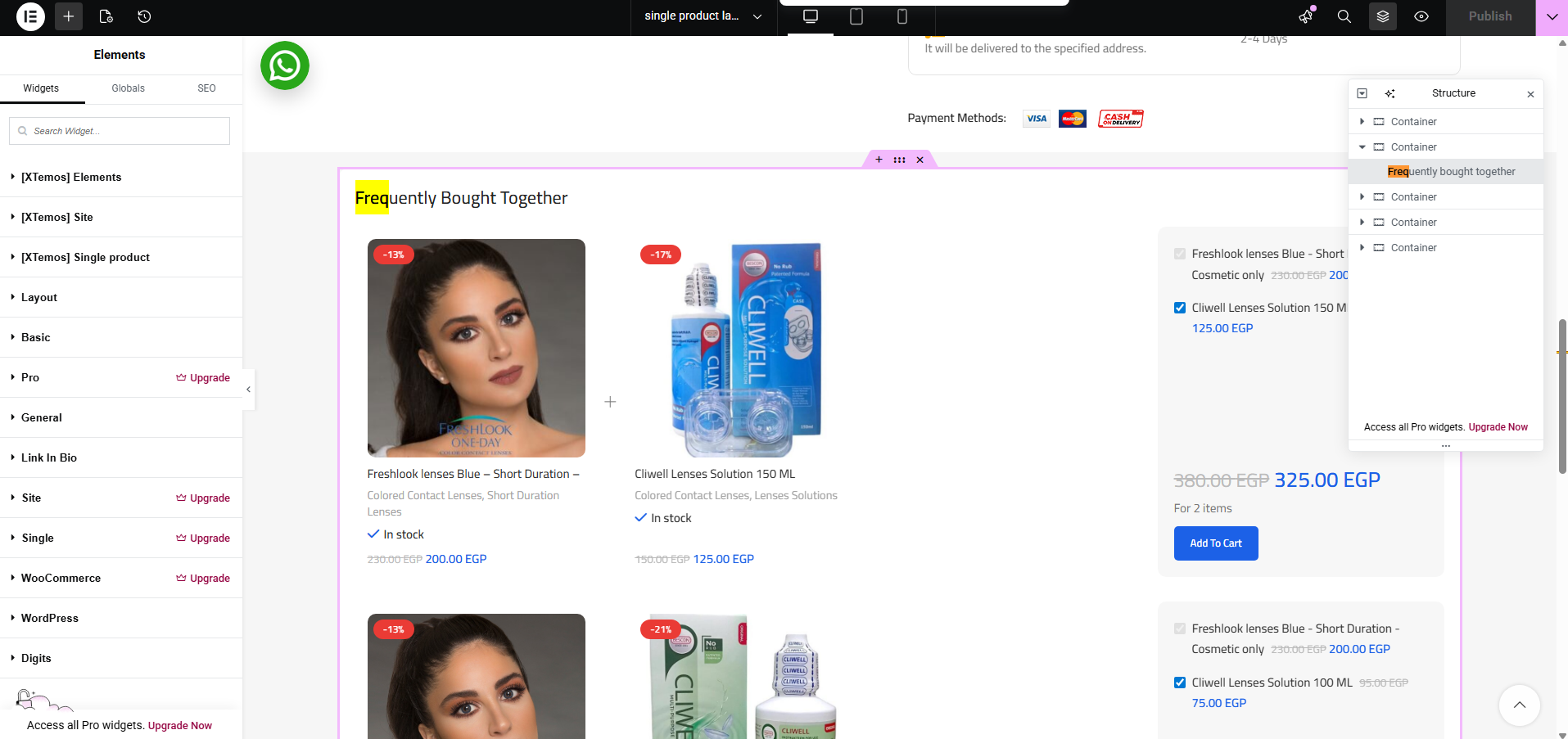 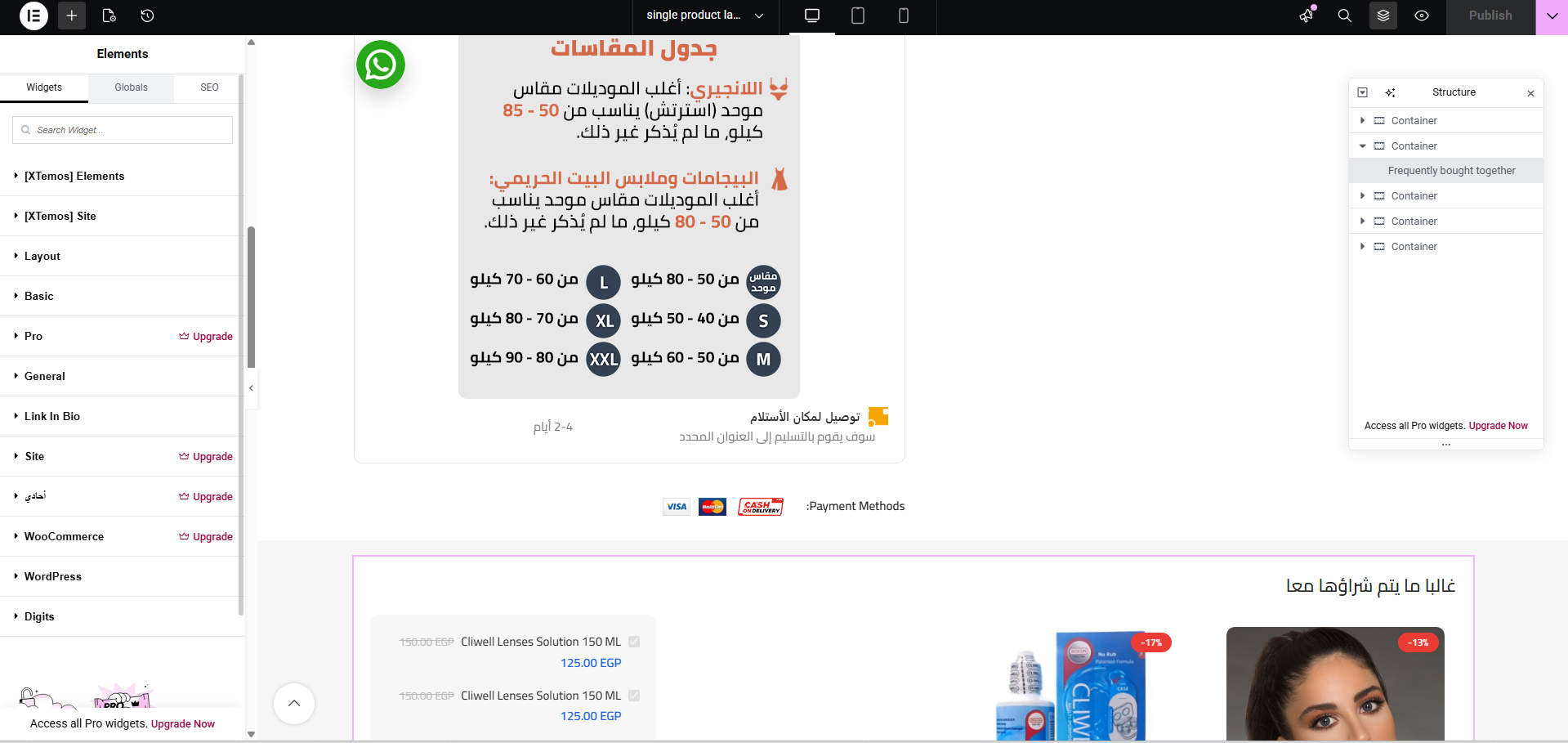 |
| January 6, 2026 at 7:27 pm #17707731 | |
 Otto WPML Supporter since 09/2015 Languages: English (English ) Spanish (Español ) Timezone: America/Argentina/Buenos_Aires (GMT-03:00) |
Hello, I would like to request temporary access (wp-admin and FTP) to your site to take a better look at the issue. The information you will enter is private which means only you and I can see and have access to it. **IMPORTANT** Best Regards, |
| January 12, 2026 at 2:32 pm #17722009 | |
|
Otto WPML Supporter since 09/2015 Languages: English (English ) Spanish (Español ) Timezone: America/Argentina/Buenos_Aires (GMT-03:00) |
Hello, Thanks. I noted that the elements come from the theme and its core plugin. Before moving forward, can you please update them to their latest version? ❌ Please make a full website backup before proceeding ❌ If the issue persists, can you please confirm I got the issue right: Can you please provide me with a product link where the issue can be seen to use as an example and test? Best Regards, |
| January 13, 2026 at 12:57 pm #17725374 | |
|
moustafaK |
Dear Otto the main issue is "[xtemos] single product" in elementor builder not shown in Arabic layout elementor single product page builder, please check the attached Frequently bought together widget is a part of "[xtemos] single product" i think if it appear that shall solve problem and will show in Arabic version hidden link 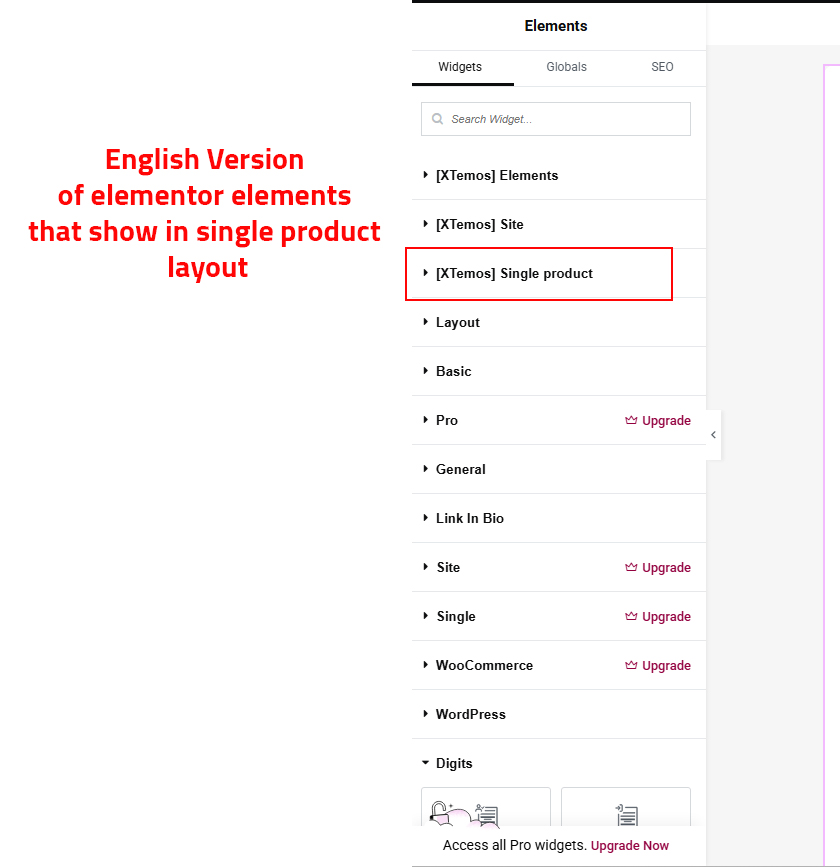 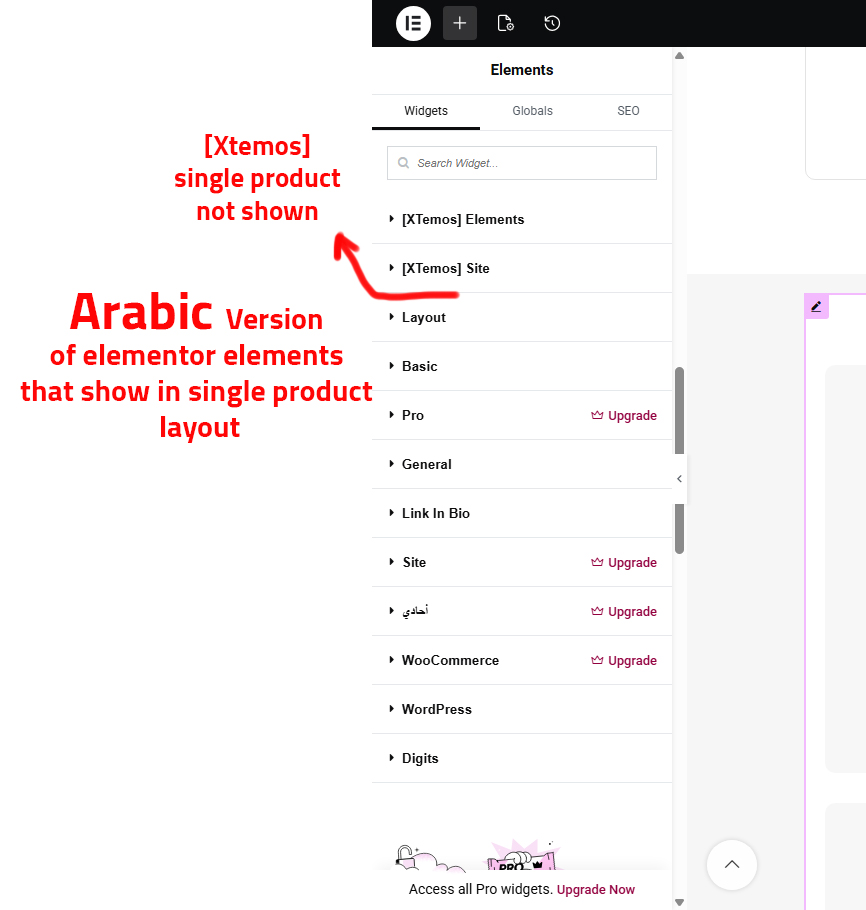 |
| January 13, 2026 at 3:57 pm #17726495 | |
|
Otto WPML Supporter since 09/2015 Languages: English (English ) Spanish (Español ) Timezone: America/Argentina/Buenos_Aires (GMT-03:00) |
Hello, Thanks for the explanation. If instead of reaching the Single Product Layout in Arabic from the front end (check the screenshot attached). You reach it from the backend: Layouts > All Layouts > switch to Arabic > Edit, then the Xtemos Single Product Section appears in the Elementor editor. But still the Frequently Bought Together element does not appear in the Arabic side front end. I tried with the Product Price element, and it worked, so I think that it's specific to the Frequently Bought Together feature. What worked for me (in my local copy of your site) is the following: Let me know if this helps, please. Best Regards,  |
| January 14, 2026 at 1:47 pm #17729611 | |
|
moustafaK |
Deat otto When I added a bundle in “Frequently Bought Together” to the Arabic version of a product, it appeared correctly on the Arabic product page. However. This clearly indicates that there is a synchronization problem between the two languages. This leads to other issues that I had previously reported, such as: The “New” label in Product Settings not syncing between languages, All of these problems point to the same root cause: some product fields are not being synchronized properly by WPML. I believe there is a setting in WPML that controls which product fields and meta data should be synchronized between languages, and that this setting is currently not configured correctly. Could you please check my WPML configuration and advise which options should be enabled to ensure full synchronization between Arabic and English products? Thank you for your support. |
| January 14, 2026 at 3:20 pm #17730022 | |
|
Otto WPML Supporter since 09/2015 Languages: English (English ) Spanish (Español ) Timezone: America/Argentina/Buenos_Aires (GMT-03:00) |
Hello, Thanks. To set custom fields translation status, you can follow this documentation: Also, I noted that you are using the classic translation editor, which is a legacy feature, and it may have some erratic behavior with modern features. I suggest using the Advanced Translation Editor: Best Regards, |
| January 17, 2026 at 2:56 pm #17739147 | |
|
moustafaK |
fixed after re check "Custom Fields Translation" |




