
This is the technical support forum for WPML - the multilingual WordPress plugin.
Everyone can read, but only WPML clients can post here. WPML team is replying on the forum 6 days per week, 22 hours per day.
| Sun | Mon | Tue | Wed | Thu | Fri | Sat |
|---|---|---|---|---|---|---|
| - | 8:00 – 12:00 | 8:00 – 12:00 | 8:00 – 12:00 | 8:00 – 12:00 | 8:00 – 12:00 | - |
| - | 12:00 – 16:00 | 12:00 – 16:00 | 12:00 – 16:00 | 12:00 – 16:00 | 12:00 – 16:00 | - |
Supporter timezone: Europe/Zagreb (GMT+02:00)
Tagged: WCML
Related documentation:
This topic contains 16 replies, has 2 voices.
Last updated by Dražen 1 day, 22 hours ago.
Assisted by: Dražen.
| Author | Posts |
|---|---|
| April 1, 2026 at 1:15 pm #17943268 | |
 anna-mariaA-2 |
The product categories are not displaying correctly in the English version compared to the German version. Additionally, products are not assigned to the appropriate categories in English. One important point is that the product categories are imported from the Rentman plugin. They are being imported correctly in German, but not in English. Furthermore, other posts and pages are also not properly translated into English. The menus are not displaying correctly and are not properly synchronized between languages. Since the English setup appears to be completely broken on the backend, we would like to schedule a call to quickly review and resolve all of these issues. |
| April 2, 2026 at 12:47 pm #17946043 | |
 Alejandro WPML Supporter since 01/2018 Languages: English (English ) Spanish (Español ) Italian (Italiano ) Timezone: Europe/Rome (GMT+02:00) |
Hello, Since you're importing the categories from somewhere else other than a normal WPML Sync, then they will probably not stay in sync as you expect them unless you do it directly from that "rentman" plugin which doesn't seem to be compatible with WPML (that doesn't mean it won't work but it hasn't been tested by us). Can you try to go to WPML > Support > Troubleshooting and select the correct post type in the taxonomy sync option to see if that works? Give it a try and let us know how it goes. |
| April 2, 2026 at 1:12 pm #17946148 | |
|
anna-mariaA-2 |
Already selected : Kindly guide if there are any additional settings I should review. 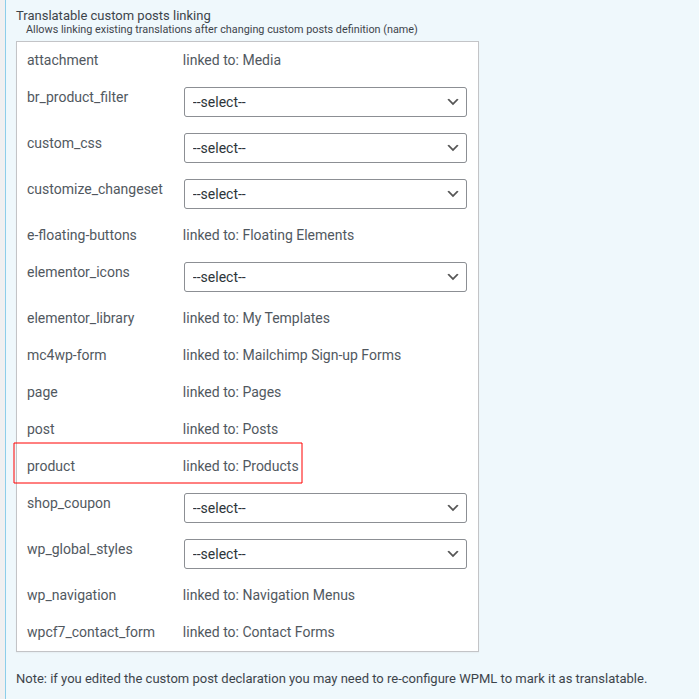 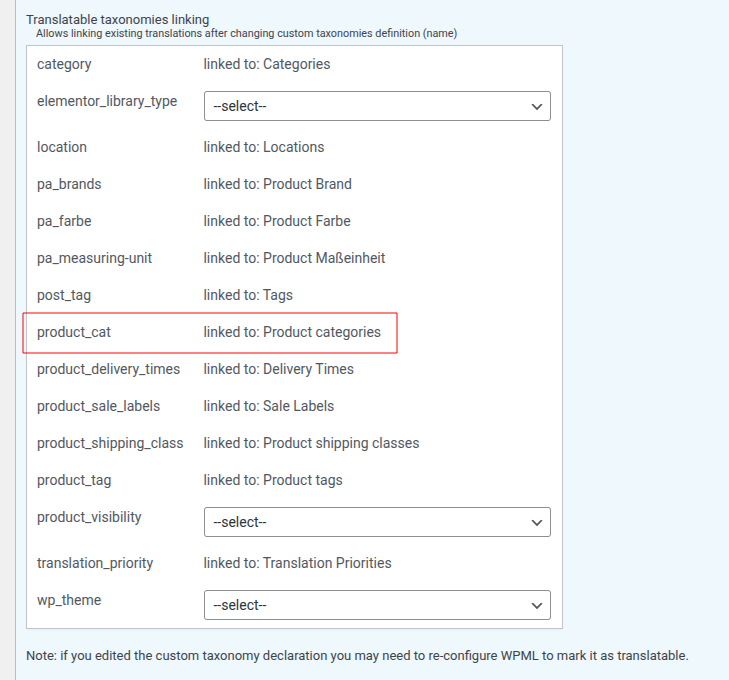 |
| April 3, 2026 at 2:07 pm #17948057 | |
|
Alejandro WPML Supporter since 01/2018 Languages: English (English ) Spanish (Español ) Italian (Italiano ) Timezone: Europe/Rome (GMT+02:00) |
What you're showing there has nothing to do with your workflow. Unless you trigger the "save_post" hook from WordPress, the content you change in the original language will not be synced on the translations (that means you'd need to create a snippet for it, and custom coding is outside the scope of our support). The problem here has to do with your workflow, would you care to explain how it works to see if there's something we can do to help here? |
| April 6, 2026 at 5:19 am #17950615 | |
|
anna-mariaA-2 |
We have shared the screenshots for the steps you recommended, and we can confirm that those configurations were already in place. Recommended step : "Can you try to go to WPML > Support > Troubleshooting and select the correct post type in the taxonomy sync option to see if that works?" However, we are still unable to identify the root cause of the issue. Currently, we are facing problems with translations across posts, pages, products, and categories: - Some items are translated, but not completely This makes it difficult to determine whether the issue is related to: Could you please help us understand:- How we can properly debug or verify where the translation is failing? We would appreciate your guidance in identifying and resolving this issue. |
| April 7, 2026 at 9:38 am #17953293 | |
|
anna-mariaA-2 |
Hello Team, Is it possible to identify the actual issue or find a solution? Kindly guide us on the next steps. Alternatively, if we could connect over a call, it would be greatly appreciated so that we can check together for any possible misconfigurations. Thank you! |
| April 8, 2026 at 6:01 am #17955543 | |
 Dražen Supporter Languages: English (English ) Timezone: Europe/Zagreb (GMT+02:00) |
Hello, Thank you for the detailed explanation. To keep things clear and efficient, let’s first focus on the main issue you reported product categories not syncing correctly in English. Once we resolve that, we can continue with the other issues (menus, pages, etc.), as they may or may not be related. As my colleague mentioned, since the categories are being imported via a 3rd-party plugin (Rentman), this behavior can be expected. WPML relies on standard WordPress hooks (like save_post) to sync translations, and if the import process bypasses those, synchronization won’t happen automatically. To try to resolve the category issue, please follow these steps: - Go to WPML → Taxonomy Translation This will attempt to align the taxonomy terms across languages. Let me know how it goes, and based on your results, we can guide you further or explore alternative approaches if needed. Regards, |
| April 13, 2026 at 11:37 am #17965657 | |
|
anna-mariaA-2 |
It shows this: "We detected that the product_type field was set incorrectly for some product translations. This happened because the product_type taxonomy was translated. You can fix this in the WPML Multilingual & Multicurrency for WooCommerce troubleshooting page." Is it connected to 'WPML Multilingual & Multicurrency for WooCommerce' plugin? Need to configured? |
| April 14, 2026 at 5:38 am #17967439 | |
|
Dražen Supporter Languages: English (English ) Timezone: Europe/Zagreb (GMT+02:00) |
Hello, Thank you for your message. This notice is related to the WPML Multilingual & Multicurrency but caused by 3rd prty plugin that is setting this to translatable which is not correct. The product type (simple, variable, etc.) should remain the same across all languages and should not be translated. Because of that, WPML detected inconsistencies in product translations. To fix this, please follow these steps: - Go to WPML → Settings → Taxonomies Translation After that: - Go to WooCommerce → WooCommerce Multilingual → Status → Troubleshooting This will resync the product types correctly across translations. No additional configuration is needed beyond this, and once fixed, the notice should disappear. If you need help with any of the steps, feel free to let me know. Kind regards, |
| April 14, 2026 at 11:12 am #17968309 | |
|
anna-mariaA-2 |
Yes, notice has been disappear. Do we need to manually translate products and product categories? Also, pages and posts are not being translated—what could be the reason for this? 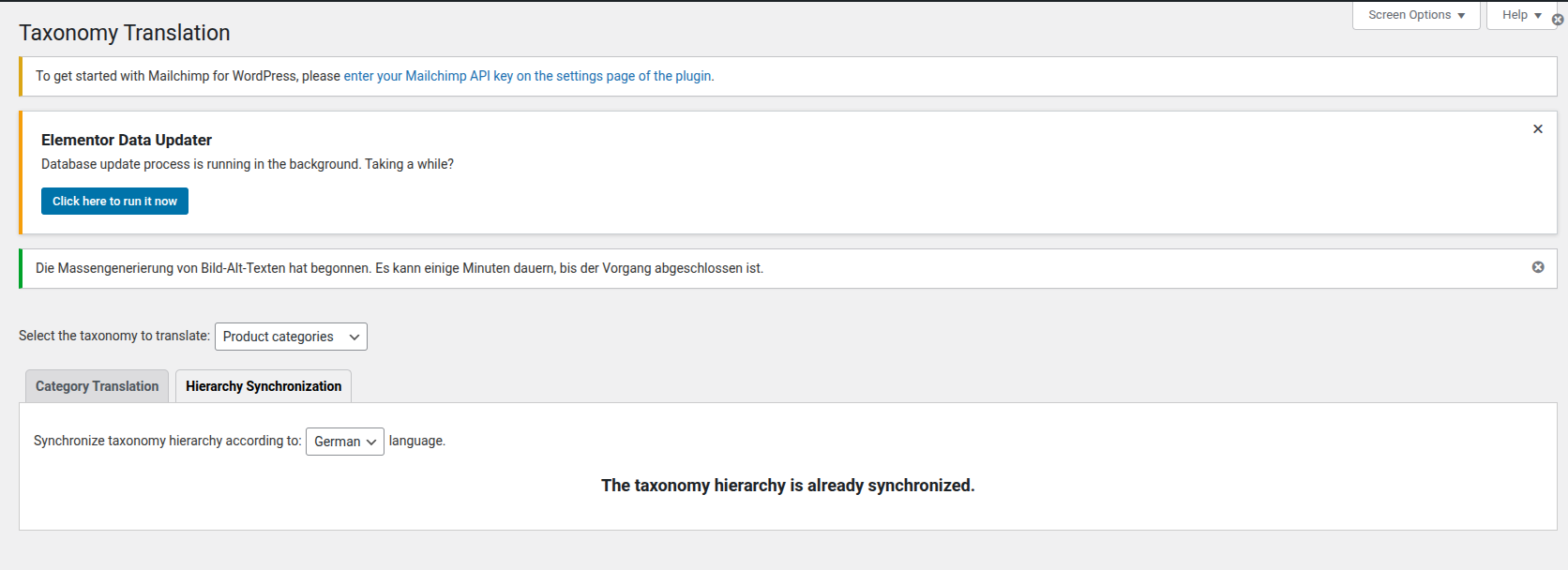 |
| April 14, 2026 at 12:05 pm #17968536 | |
|
Dražen Supporter Languages: English (English ) Timezone: Europe/Zagreb (GMT+02:00) |
Hello, great, glad to hear that. To translate any taxonomy with WPML, simply send your content for translation via WPML → Translation Dashboard. WPML translates your taxonomies along with the rest of your content. Or you can translate them manually via WPML > Taxonomy translation. - https://wpml.org/documentation/related-projects/woocommerce-multilingual/ Same goes for pages / post, you can send them for translation via Translation dashboard, and translate automatically or assing to your self and translate via WPML editor. - https://wpml.org/documentation/translating-your-contents/ Regards. |
| April 15, 2026 at 1:03 pm #17971479 | |
|
anna-mariaA-2 |
Thank you for sharing the documentation—it will help us better understand the process and flow. I have one query regarding products and product categories: Earlier, not all categories were translated, and the ones that are translated are still displaying German content. Additionally, the hierarchy is not set correctly, and parent categories are not properly assigned. Could this be because the data is coming from the Rentman plugin? Do we need any additional setup to properly sync categories between Rentman and WPML? Also, could the same issue occur for products as well? |
| April 16, 2026 at 5:53 am #17972745 | |
|
Dražen Supporter Languages: English (English ) Timezone: Europe/Zagreb (GMT+02:00) |
Hi, Thanks for your message. I’m not fully sure what you mean by German content, whether it’s the category names, descriptions, or products, but in either case this will likely require some manual verification to ensure everything is correctly translated and linked. Since you are using the Rentman plugin, it’s quite possible that the issue comes from how the data is imported. If categories are created or imported directly in secondary languages, this can break the expected WPML structure. The correct workflow should be: - Categories are created/imported in the default language If this is not followed, issues like wrong language content, duplicates, or broken hierarchy can occur. To help sync things, you can try: - WPML → Taxonomy Translation Yes, the same issue can also happen with products if they are imported or created in secondary languages instead of being translated from the default language. If you need further help, I would advise opening new chat/ticket so we can check and further help, since we limit 1 issue per ticket to keep things clear. Best regards, |
| April 20, 2026 at 1:48 pm #17981277 | |
|
anna-mariaA-2 |
Thank you for your response and guidance. However, we are still not able to translate the content properly for posts and pages, which are not connected with Rentman or any third-party plugin. As this is impacting our progress, we would prefer to connect over a call for better support. Through chat, we are receiving guidance, but it is taking time to identify and resolve the exact issue, and we need to update the site urgently. Could you please share your availability for a call? Looking forward to your response. Thank you. |
| April 21, 2026 at 5:48 am #17982538 | |
|
Dražen Supporter Languages: English (English ) Timezone: Europe/Zagreb (GMT+02:00) |
Hello, Thank you for your message. I understand the urgency, however, we do not provide support via calls—only through chat and tickets. To help you as quickly as possible you can get back to me or open new chat and please share a short video showing your exact steps and what is not working when translating posts/pages. This will allow us to identify the issue faster and provide a precise solution. Regards, |










