WPML lets you translate your site into 65 pre-configured languages, add your own custom languages, and customize a variety of configuration options for your language switcher, URL format, and more. These options are all available in the WPML → Languages menu.
Site Languages
Choosing languages for the site
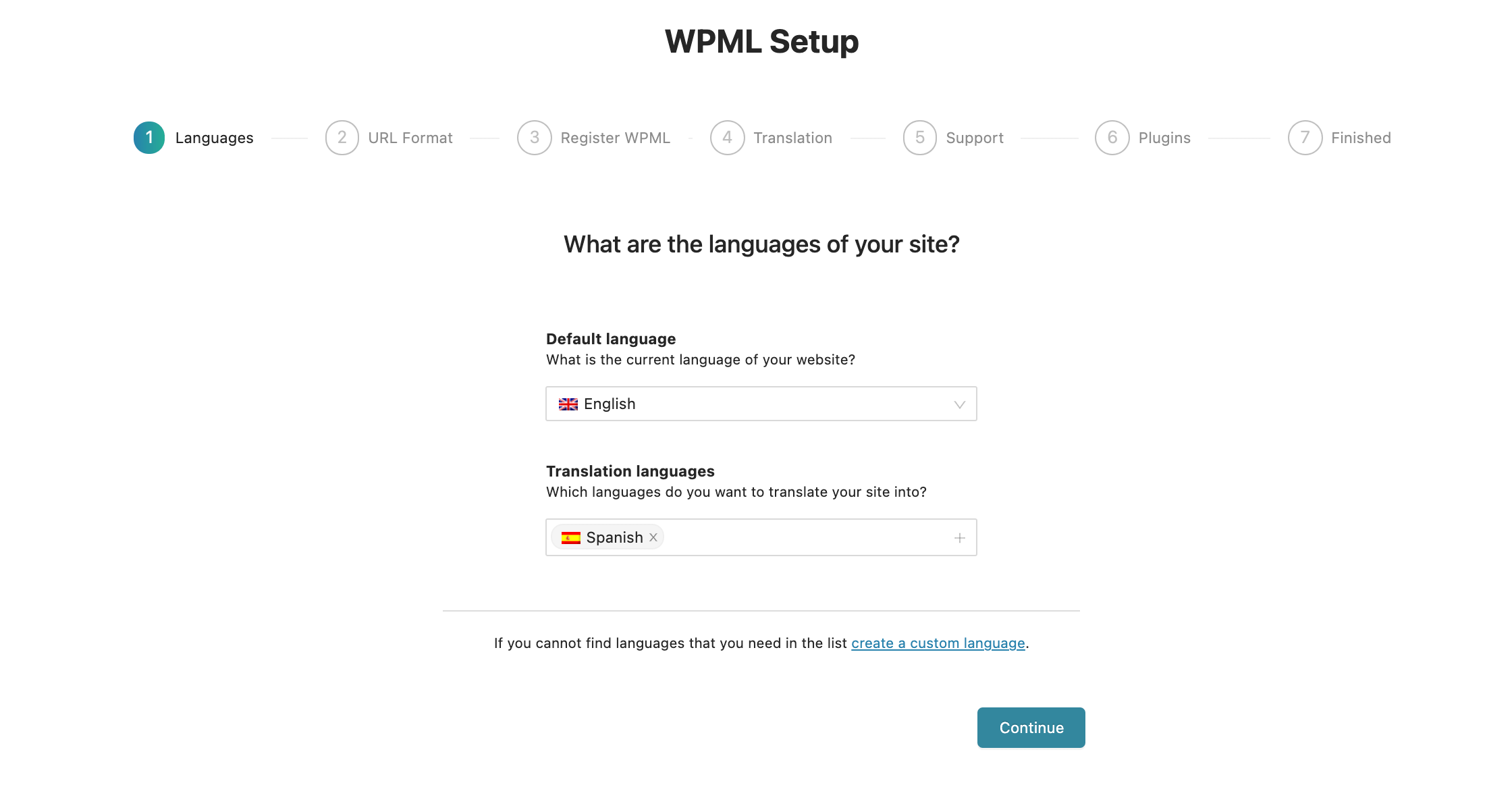
When you configure WPML for the first time (the first step of the WPML setup wizard), you need to choose the language of your existing content. Then, choose which of the 65 pre-configured languages you would like to translate your site into.
It’s also possible to create a custom language. This is especially useful if you would like to add a country-specific language to your site (such as Canadian French or Swiss German), or if you need a language that does not appear in the list of pre-configured languages.
For the custom language you create, you can use one of WPML’s flags or add a custom flag.
You can add, edit, or remove languages from your site at any point by going to WPML → Languages. These options are available in the Site Languages section.
Language URL Format
WPML lets you choose how to organize content in different languages. You can choose between:
Different languages in directories – like wpml.org/es/ for Spanish and wpml.org/de/ for German.
A different domain per language – sub-domains like es.example.com and de.example.com or completely different domains like ejemplo.es and beispiel.de.
Language name added as a parameter – like wpml.org/?lang=es for Spanish.
For Different languages in directories to work, your site’s permalink structure needs to be different than the default one. We recommend choosing Year/Month/Name or %postname%.
For more detailed examples and documentation on what’s needed for each of these modes to run, please read about language URL options.
Language Switcher
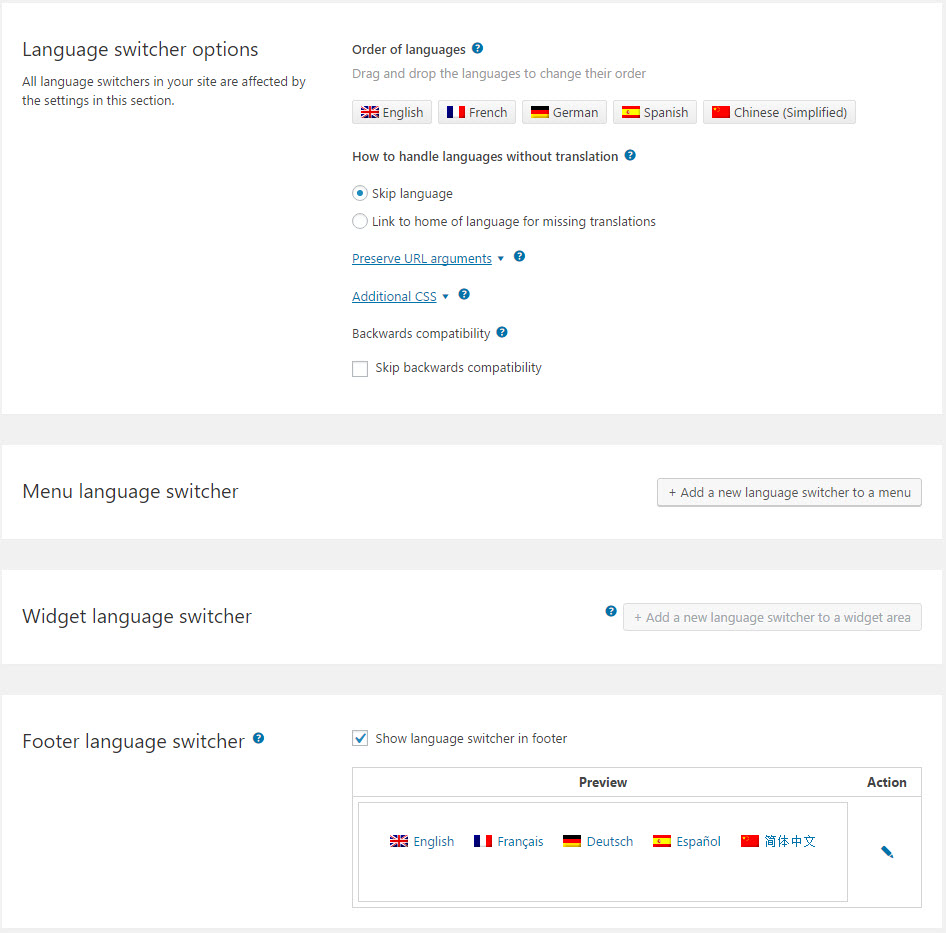
Language switcher options are under WPML → Languages.
To let visitors select their preferred language, WPML adds a language switcher to your site’s footer by default. You can also add language switchers to widgets, menus, or create your own custom language switcher.
Options for WPML’s language switchers
Or, you can add a language switcher to menus, widgets, templates, and page or post content using the LanguageSwitcher block.
You can also display language switchers using the following hooks:
You can control the order in which languages appear in the language switcher in the Language switcher options section of the Languages menu.
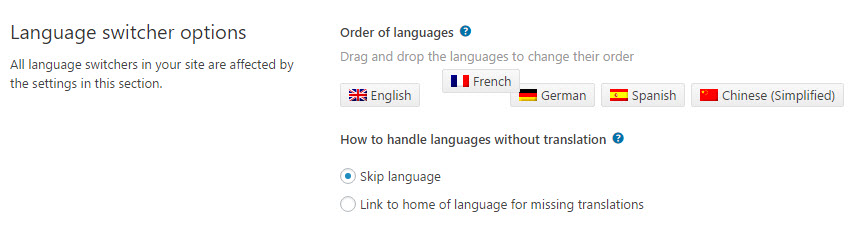
Setting the order of languages
Click and drag the languages to change the order.
Please note that when you use a drop-down language switcher, the first language shown is always the current language. The other languages will be listed according to the order that you set in the Order of languages list.
Choosing What to Display in the Language Switcher
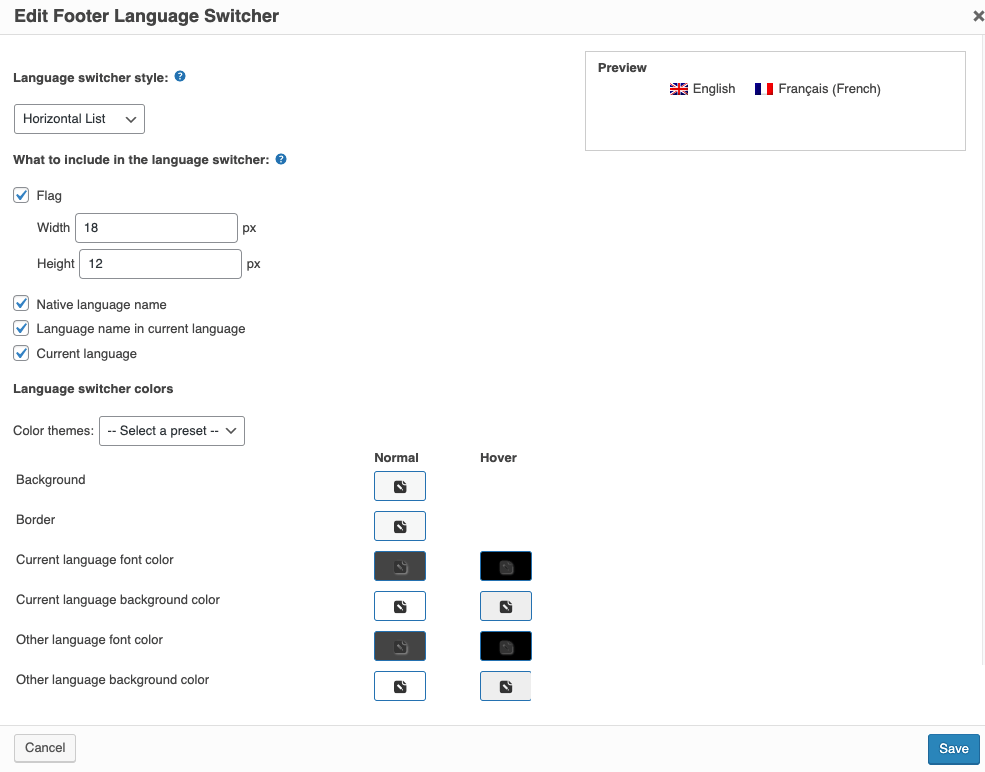
You can choose what to include in the language switcher. WPML can display a country flag, the native language name and the language name in the page’s current language (such as “Deutsch (German)” when the current language is English).
You can also choose colors for all parts of the language switcher.
To make any changes to your Language Switcher:
Go to WPML → Languages.
Find your switcher. Each language switcher will be under a different section depending on its placement on your site: Menu language switcher, Widget language switcher, or Footer language switcher.
Click the pencil icon to edit it.
When you make changes, you’ll see a small preview of how the language switcher looks before you save.
Option to enable or disable custom language switchers
In the Custom language switchers section, you can enable or disable the custom language switchers on your site. When custom language switchers are disabled, the related CSS and JavaScript resources are not loaded anymore. This is useful for sites that do not use any language switchers.
In this case, it is still possible to use the wpml_language_switcher shortcode and the wpml_language_switcher action, however, they will output the language switchers without any CSS or JavaScript.
Custom language switchers are enabled by default for existing installs updating to WPML version 3.8 or later. For new installs using WPML version 3.8 or later, this option is disabled by default.
SEO Options
Enabling SEO Options
When your multi-language site is analyzed by the search engines, such as Google, it is important to “tell” them about the alternative languages available for your site’s content. This way, search engines will not handle the translations as duplicates but as the same content, only in different languages. This is good for the SEO rankings of your site.
Please note that when enabled, this information is not visible on your website’s front-end but only in the source code.
In addition to turning this feature on and off, you can also use the Position of hreflang link option to set where this information will be output:
As early as possible – default, priority 1
Later in the head section – priority 10
In most cases, it is best to use the default setting. Sometimes, different themes and plugins may cause conflicts when this option is used. These conflicts may lead to wrong or completely missing set of these SEO language links. In that case, switching to Later in the head section option should resolve the issue.
Admin language
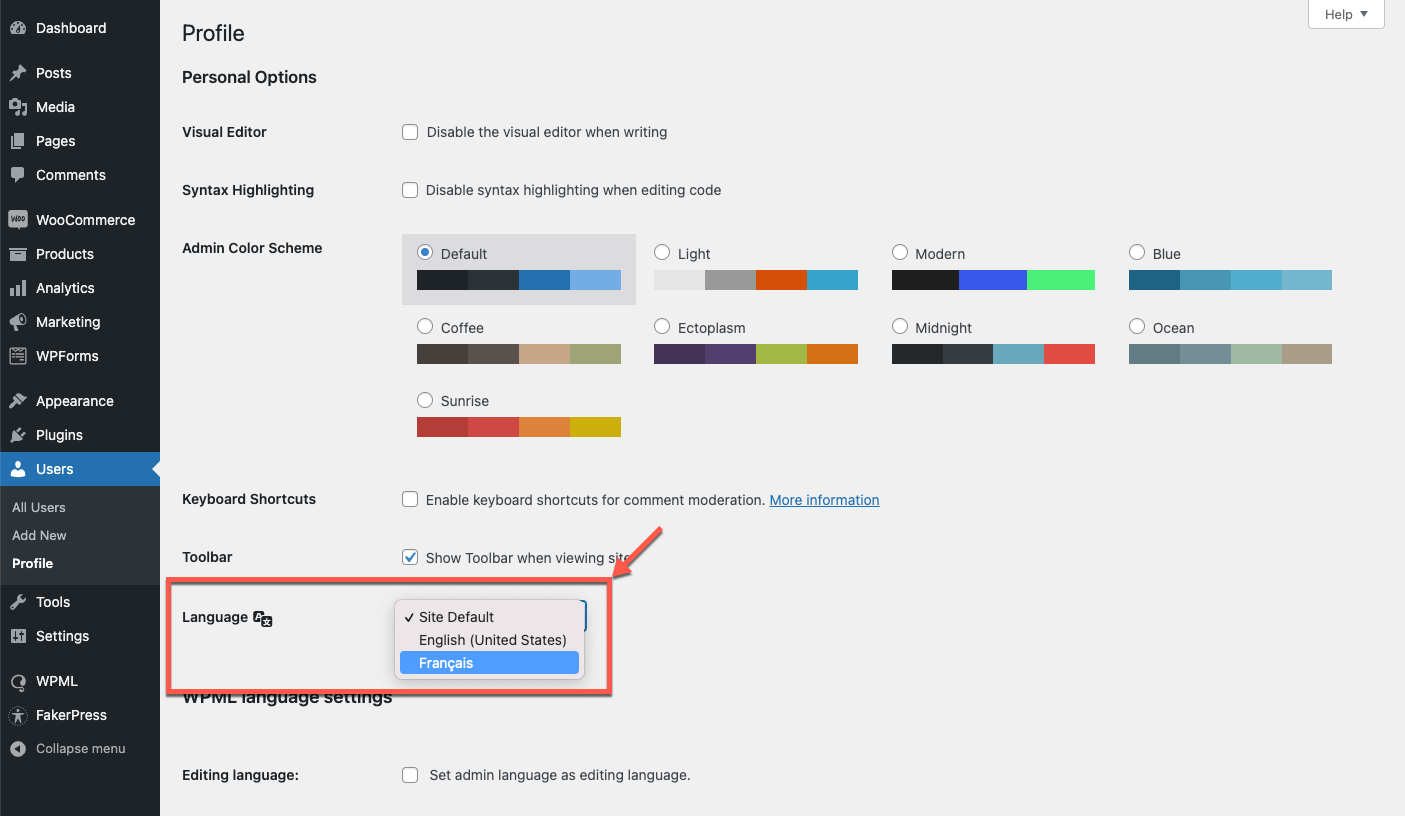
The default language is normally also the admin language. However, you can also choose to display your site’s WordPress admin in a different language than the default language of your site’s content. This is not in the WPML → Languages menu. Instead, you can find this by going to Users → Profile.
Selecting a different admin language
This allows websites that have several authors, each writing in a different language, can have a different admin language per user. Individual users can select their admin language in their own profile page.