


What visitors type in the form stays as they typed it. For the full Elementor setup, read how to translate an Elementor website with WPML.
What You Need to Do
Elementor saves a form inside the page it sits on. So the form is translated with its page, and there is nothing extra to send.
With Translate Everything On: Nothing
If you use PTC and your site is on Translate Everything, WPML translates the whole site, this page and its form included. You do not need to do or review anything. When you edit the form later, WPML translates the change too.
You set it up in the Translate Everything Automatically box at the top of WPMLTranslations. Read how to translate everything automatically.
With Translate Everything Off: Send the Page from the Translation Dashboard
You choose what to translate and when.
- Open the Translation Dashboard. Go to WPMLTranslations. The page with the form is in the Pages section.
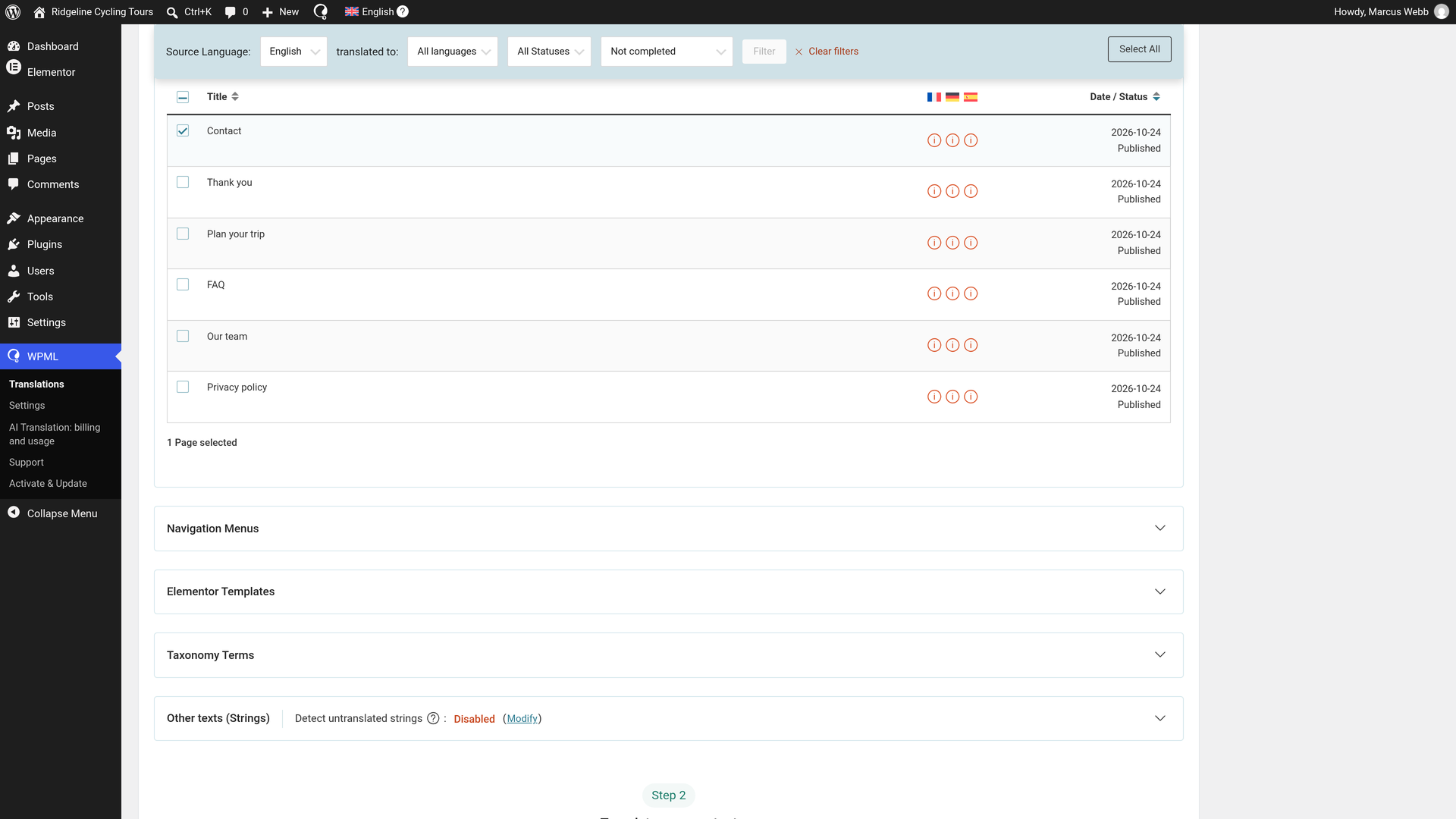
- Select the page. Check the box next to it.
- Choose automatic translation. Under Translate your content, choose Translate automatically for each language.
- Choose Publish without review. Under What would you like to do when WPML finishes translating your content automatically?, choose Publish without review (Recommended). Translations from PTC are ready to publish, so they go live as soon as they are done.
- Send it. Click Translate content. A popup confirms Sent for translation.
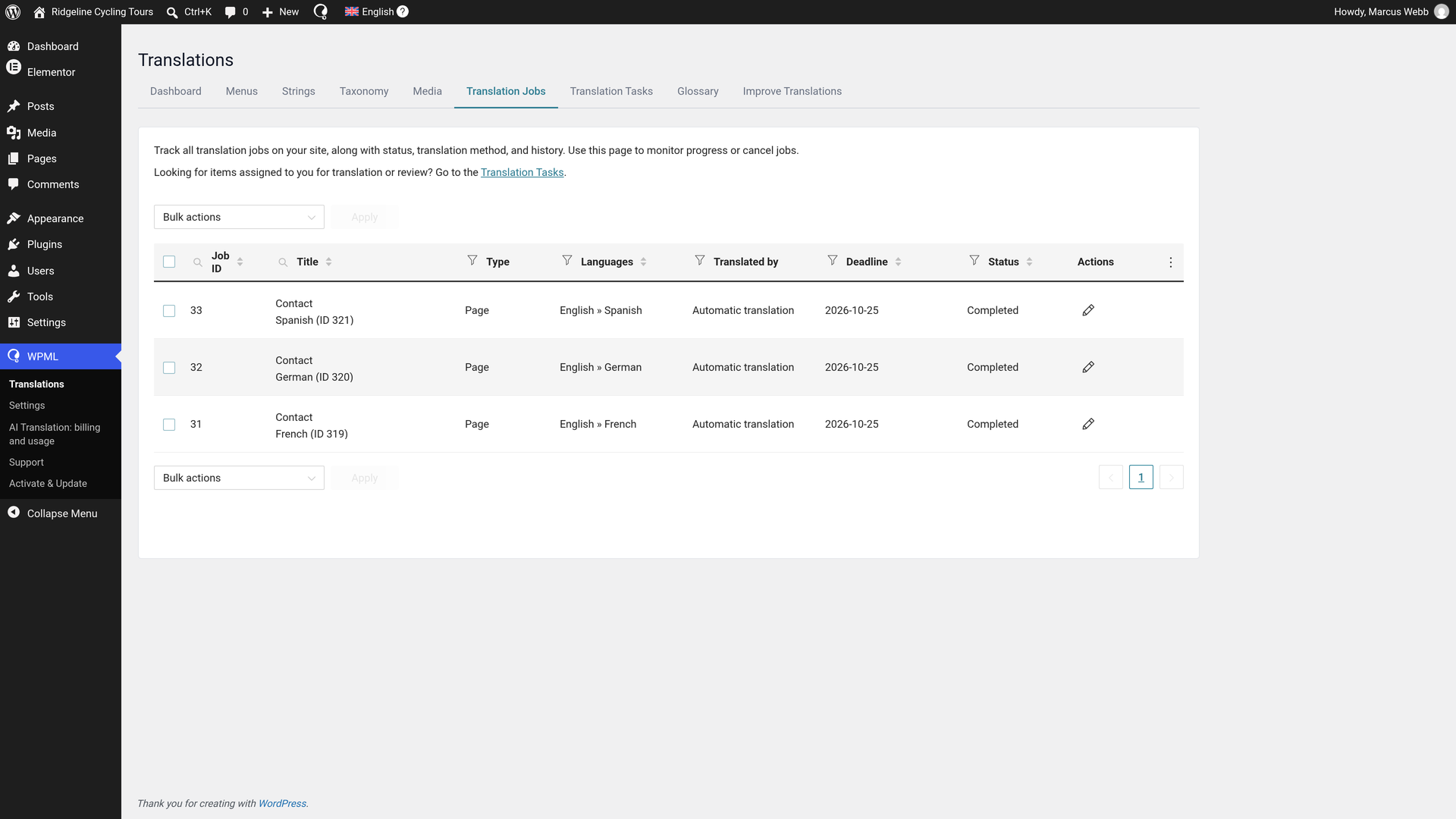
The translations complete in minutes and are live. In Translation Jobs, each job shows Completed. There is nothing more you need to do. When you edit the form later, send the page again.
Read more about the Translation Dashboard.
The Elementor Pro Form Texts That WPML Translates
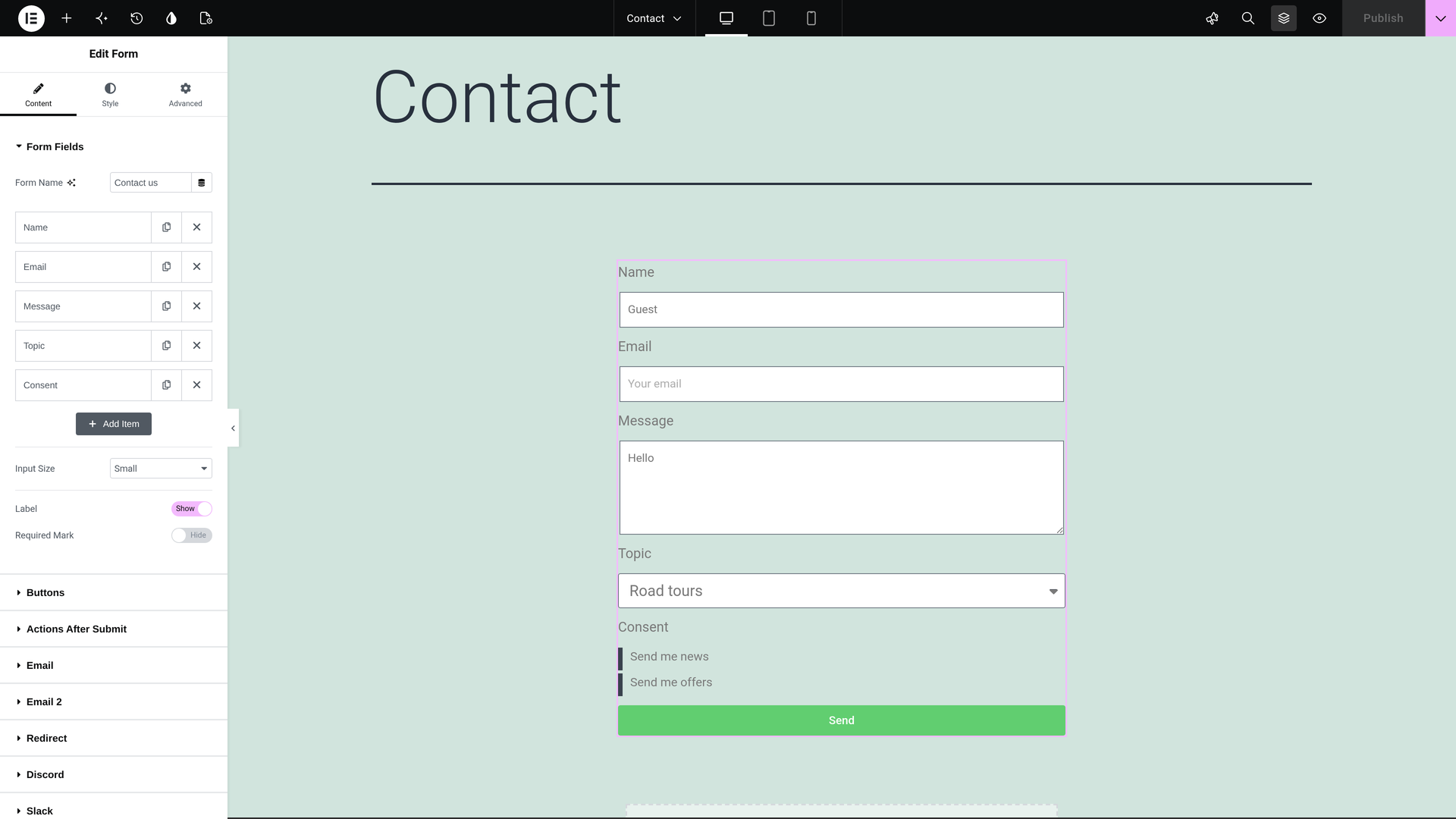
- The fields: labels, placeholders, the options of select, radio and checkbox fields, and default values.
- The button text.
- The messages the visitor sees after sending the form, such as the success message.
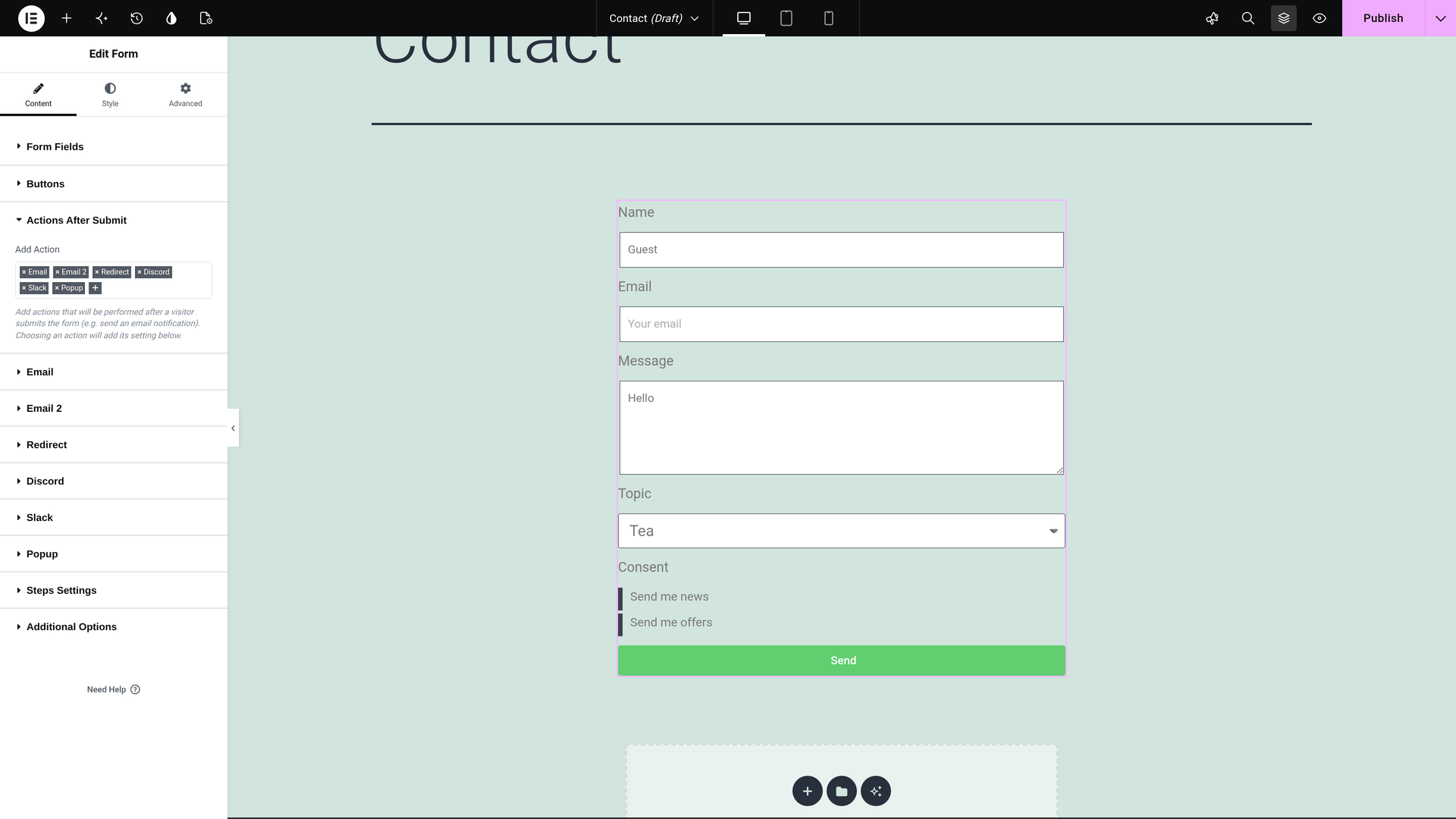
- The emails: the subject and the sender name of each email.
- The redirect address the visitor goes to after sending, so the translated form can lead to your translated thank you page.
- The Slack and Discord message texts.
- The webhook's names: the form name and the field labels it sends.
Forms from the New Form Editor (the V4 Form)
Elementor's new form editor (the V4 form) is translated with its page, like the classic Form widget. Everything on this page applies to it too.
- The emails keep the visitor's answers. The message tokens stay as they are:
[all-fields],[field id="email"]and the form's own field ids in brackets. So each email still shows what the visitor typed. - The email subject is translated like any other text. Elementor Pro sends the V4 form's subject exactly as you typed it.
- Translated a V4 form with an earlier WPML version? When you update WPML, it puts back the tokens that translation lost, once. It also marks the page's translation as needing an update.
A text the form shows through a global class is the same in every language. To learn where to put it instead, see texts in global classes.
See the Translated Form
You can look at the translations to see for yourself. Visit the translated page in any of your other languages.
- The form's labels, placeholders and button read in that language.
- A visitor in another language who sends the form gets the messages in their language.
If You Want to Change a Translation or Translate Forms Yourself
You do not need to check anything. If you want to change a text, do it this way:
- Open Translation Jobs. Go to WPMLTranslationsTranslation Jobs.
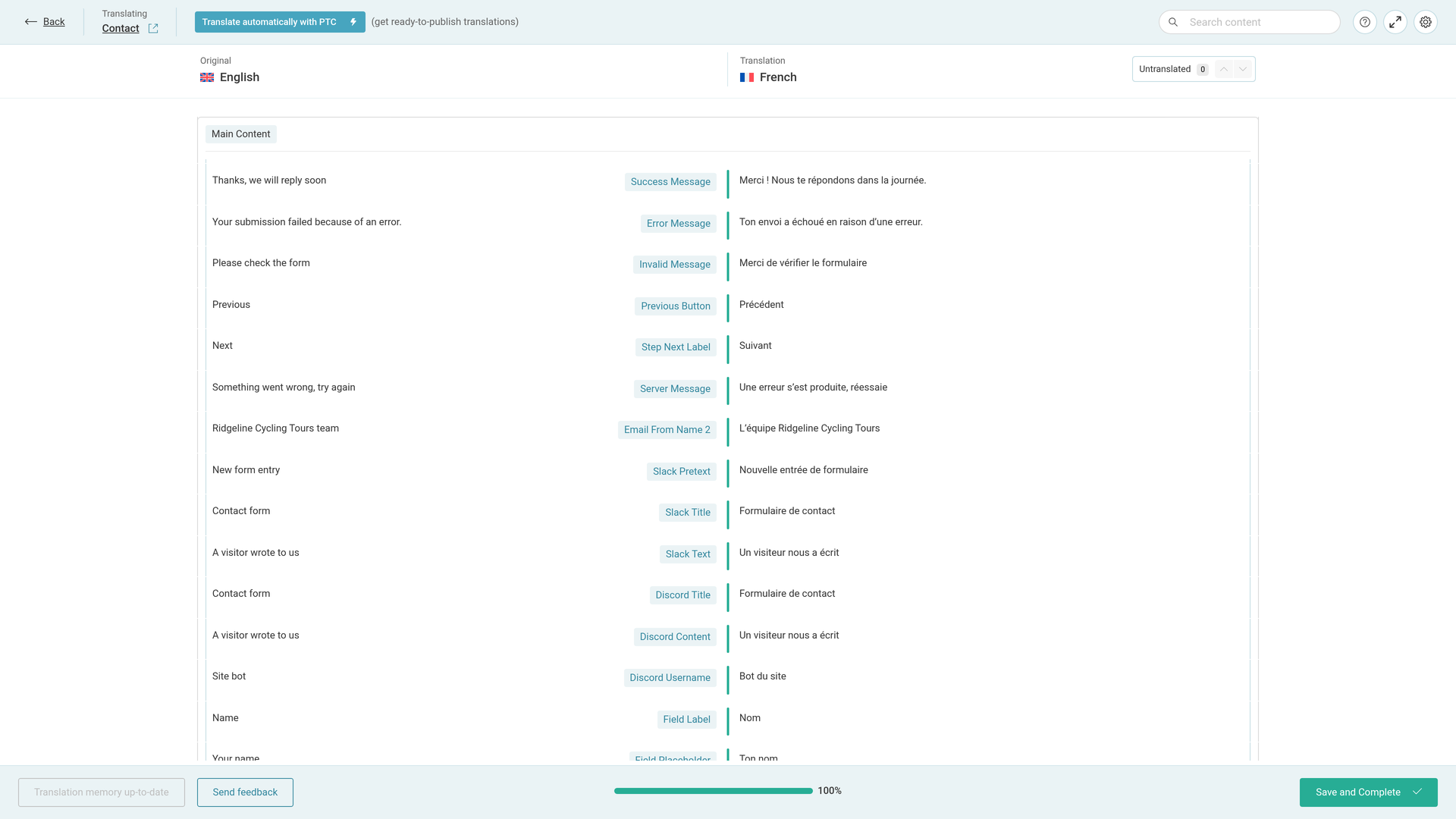
- Click the pencil on the job's row. Use the row of the language you want. The pencil's title is Edit Translation. The Advanced Translation Editor (ATE) opens with every text of the page and its form.
- Edit what you want. Change any text in the editor.
- Click Save and Complete. Always finish this way, even with no change. Otherwise the job stays In progress.
When you use PTC, it learns from your edits, so you do not need to keep making the same corrections.
Translate the Form Yourself
To translate the form yourself from the start, choose it when you send the page:
- Send the page from WPMLTranslations as above. In step 2, choose Translate myself instead of Translate automatically.
- The job then waits in the Translation Tasks tab. Click Translate on it.
- Translate the rows in the Advanced Translation Editor and click Save and Complete.
What You See in the Translation Editor
The editor groups the rows under the form widget, for example Form-1. The options of a select field also show under Checkbox Options. In our example, French, automatic translation gave these texts:
| Original | Label in the editor | Translation (our example) |
|---|---|---|
| Name, Email, Message, Topic, Consent | Field Label | Nom, E-mail, Message, Sujet, Consentement |
| Your name, Your email, Your message | Field Placeholder | Ton nom, Ton e-mail, Ton message |
| Coffee, Tea | Checkbox Options | Café, Thé |
| Guest, Hello | Field Default Value | Invité, Bonjour |
| Send | Button Text | Envoyer |
| Thanks, we will reply soon | Success Message | Merci ! Nous te répondons dans la journée. |
| New message from the site | Email Subject | Nouveau message du site |
| We got your message | Email Subject 2 | Nous avons bien reçu ton message |
| Ridgeline Cycling Tours team | Email From Name 2 | L’équipe Ridgeline Cycling Tours |
| New form entry | Slack Pretext | Nouvelle entrée de formulaire |
| A visitor wrote to us | Slack Text | Un visiteur nous a écrit |
| A visitor wrote to us | Discord Content | Un visiteur nous a écrit |
| Contact us | Name | Contacte-nous |
Form Submissions Are Never Translated
What visitors type is their own words. WPML does not translate submissions, in the Submissions screen or in the emails.
The Submissions screen lists forms by the page they are on. A page and its translation show as two forms in the filter, one per page. Choose the translated page's form to see what visitors in that language sent.
Forms in Popups and Other Form Plugins
- A form inside a popup goes in the popup's job. Read how to translate Elementor popups.
- Using another form plugin? Read how to translate Contact Form 7 forms or translate Gravity Forms.
Building a site for a software company? The same translation system also translates the product's documentation and user interface with Private Translation Cloud (PTC) for software.
