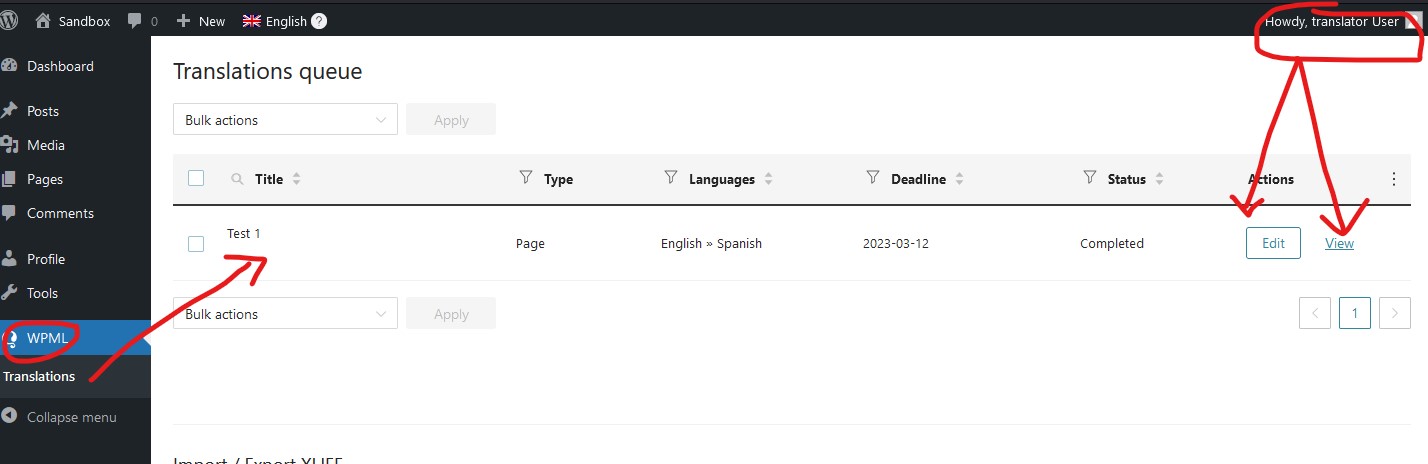
We have published translations that show completed in the Translation Management Dashboard. Sometimes we want to review and/or edit an existing translation via the Advanced Translation Editor, but there doesn't seem to be a simple way to add a completed translation page to a translators translation queue, so they can open up and review or edit it after its already published/completed. Are we missing a simple step?
telling me to basically RTFM is not helpful. I have a specific action request- sending an already published translation to a site reviewer/translator to review/edit the translated text in the Adv Translation Editor.
But this seems like a very hacky way to do it, since the original English page doesn't need any changes. There should be an action to just assign an already published page to a reviewer/translator in the Translation Manager Dashboard even after it's already been published and reviewed. It that action exists - I'd like to know how to do it please
Well, those guides explain these all and are meant to be helpful. But to save you some pain, let me write down the steps (screenshots attached also):
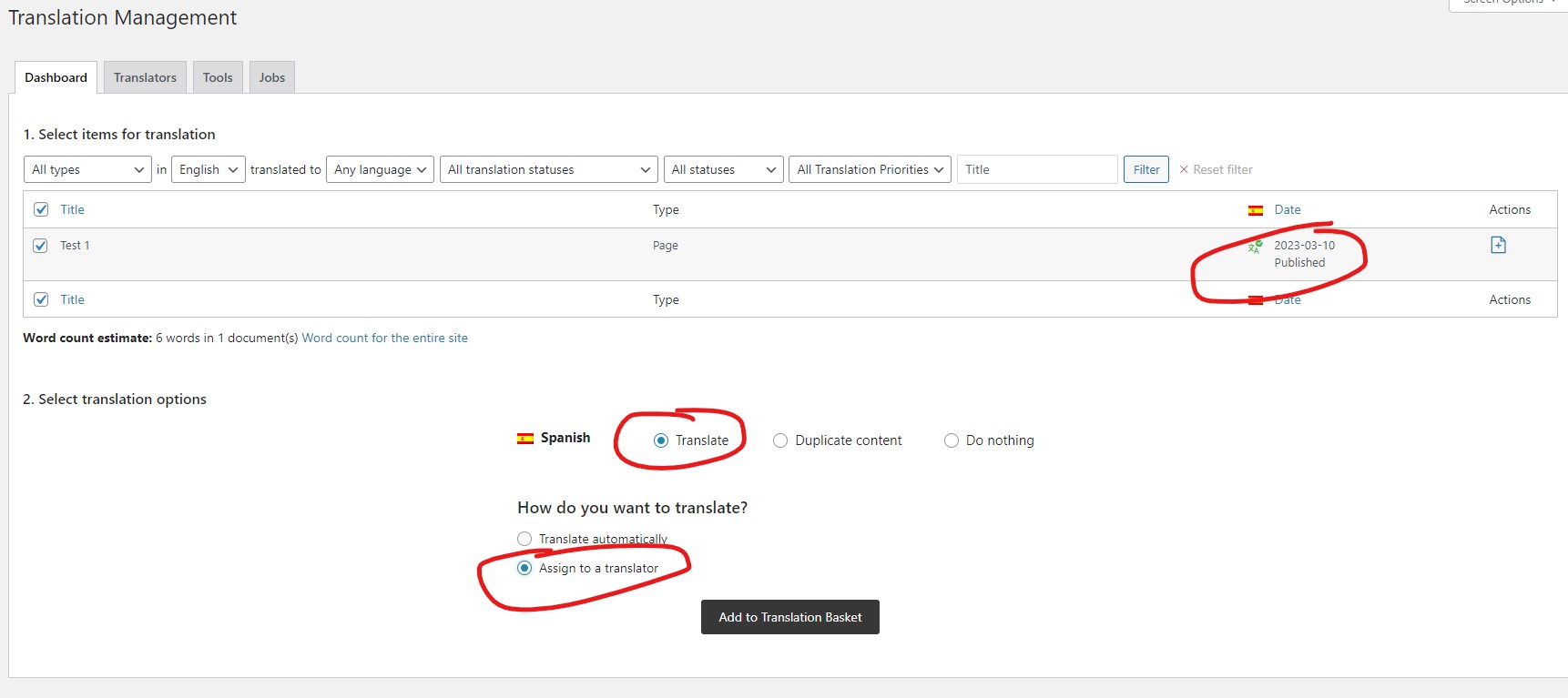
1) Go to WPML -> Translation Management (1.jpg).
2) Select the content you want to send to a reviewer/translator, even it has been translated and published already (1.jpg).
3) Click "Translate" in "Select translation options" section (1.jpg).
4) Select "Assign to a translator" (1.jpg).
5) Click "Add to Translation Basket" (1.jpg).
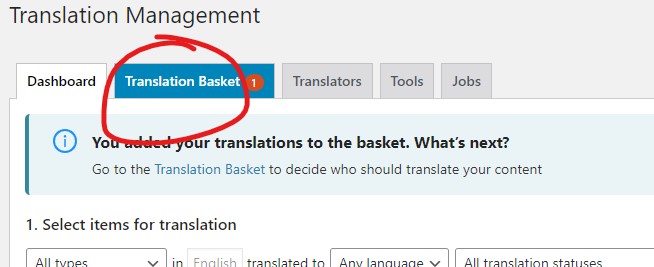
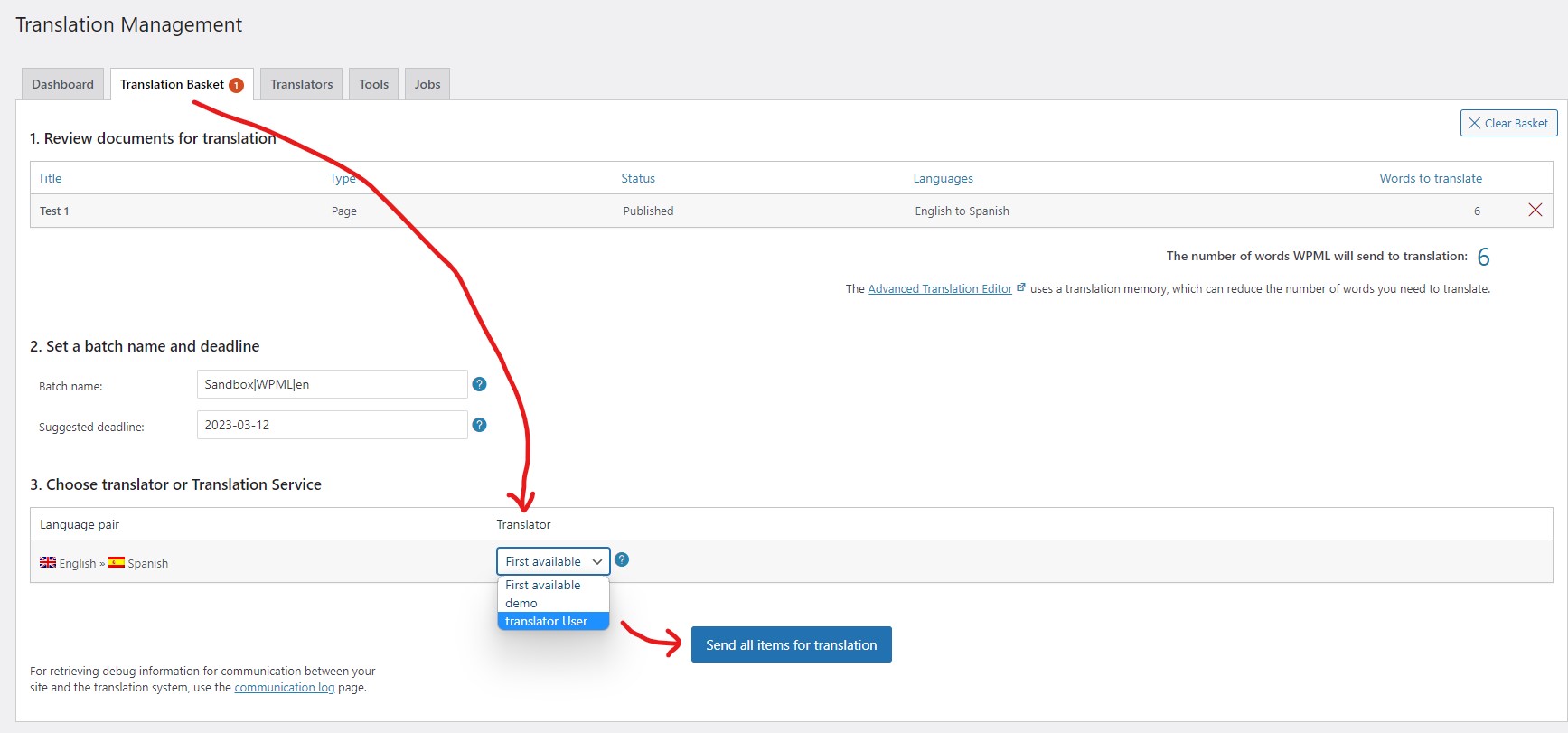
6) Once added (1-a.jpg), go to WPML -> Translation Management -> Translation Basket (2.jpg).
7) Select translator in "Choose translator or Translator Service" section (2.jpg).
8) Click "Send all items for translation" (2.jpg).
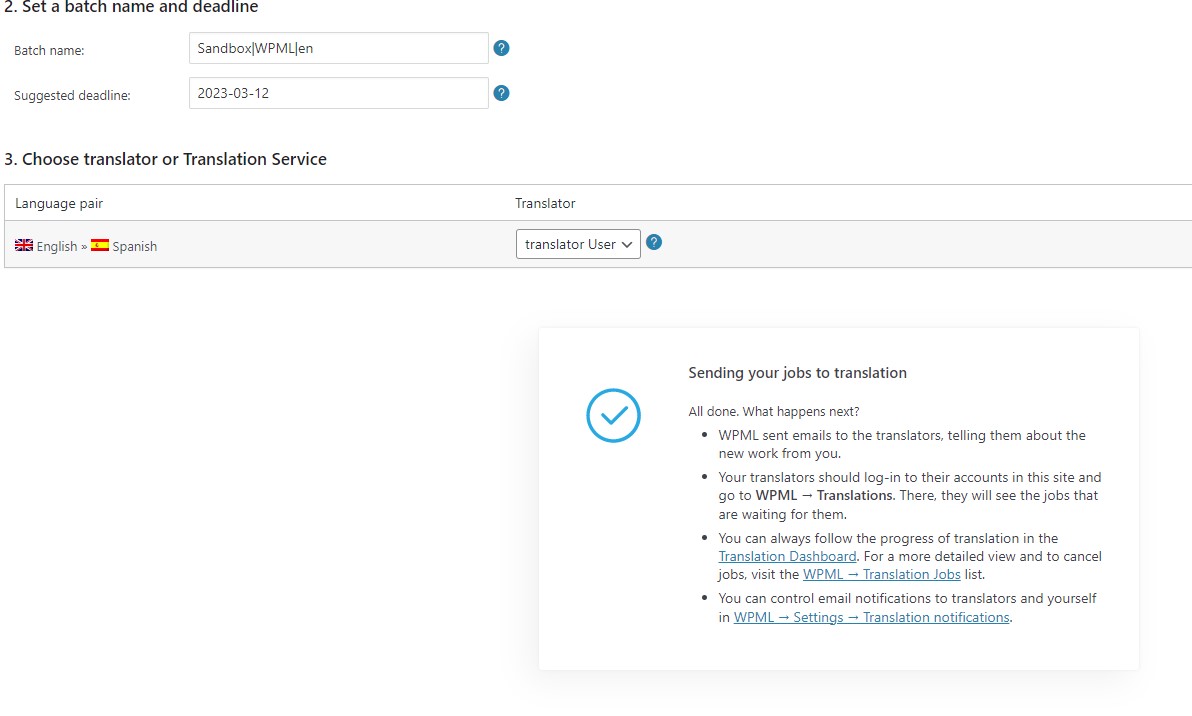
9) That's all (2-a.jpg).
Once all's sent, the translator or reviewer 'll (3.jpg):
1) Login to their account.
2) Go to WPML -> Translations.
3) Find the one they need to act upon.
4) Edit/Update, View or Approve the review.