Language Configuration Files
WPML can read a configuration file that tells it what needs translation in themes and plugins. The file is named wpml-config.xml and it’s placed in the root folder of the plugin or theme.
Purpose
WPML can translate anything in your WordPress site, but you need to tell it what needs translation. This file does that.
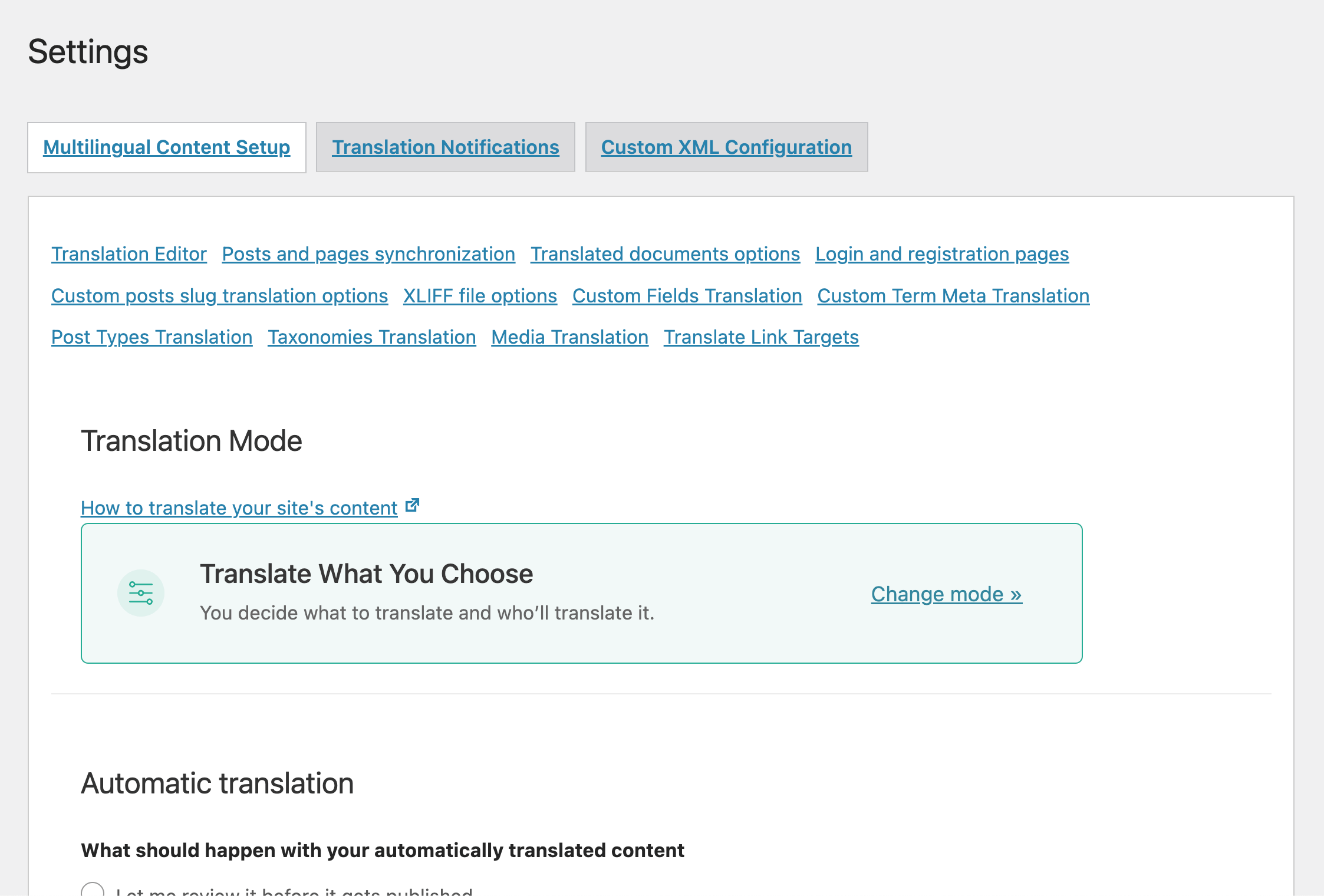
Starting with WPML 2.0, you’ll find a Multilingual content setup admin page:
This page tells WPML everything it needs to know, including which custom fields to translate or synchronize, which custom post and taxonomies should be multilingual and even which admin texts to translate.
The language configuration file includes this information, so that each and every user doesn’t need to manually enter it in the admin page.
Example
To read this tutorial and build language configuration files for your themes and plugins, you can start with this example one – wpml-config.zip.
You’ll need to edit it, but you can use the sections and structure of this file.
Structure and Syntax
The content of the wpml-config.xml file has to be wrapped into these tags
<wpml-config>
and
</wpml-config>
Currently, four types of data and one WPML configuration setting can be configured to be translated in this configuration file:
1. Custom fields – the custom field name needs to be provided and also the action that WPML is expected to take: translate, copy, ignore.
e.g.
<custom-fields> <custom-field action="copy">quantity</custom-field> <custom-field action="translate">custom-title</custom-field> <custom-field action="copy">weight</custom-field> <custom-field action="translate">custom-description</custom-field> <custom-field action="ignore">date-added</custom-field> </custom-fields>
This block will have to be nested under the <wpml-config> tag.
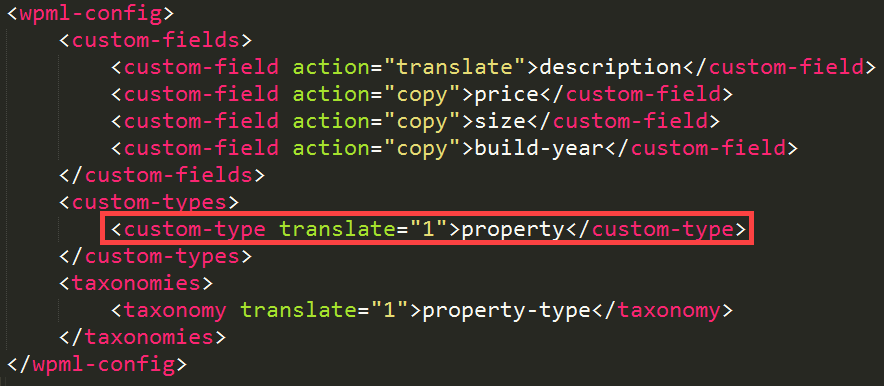
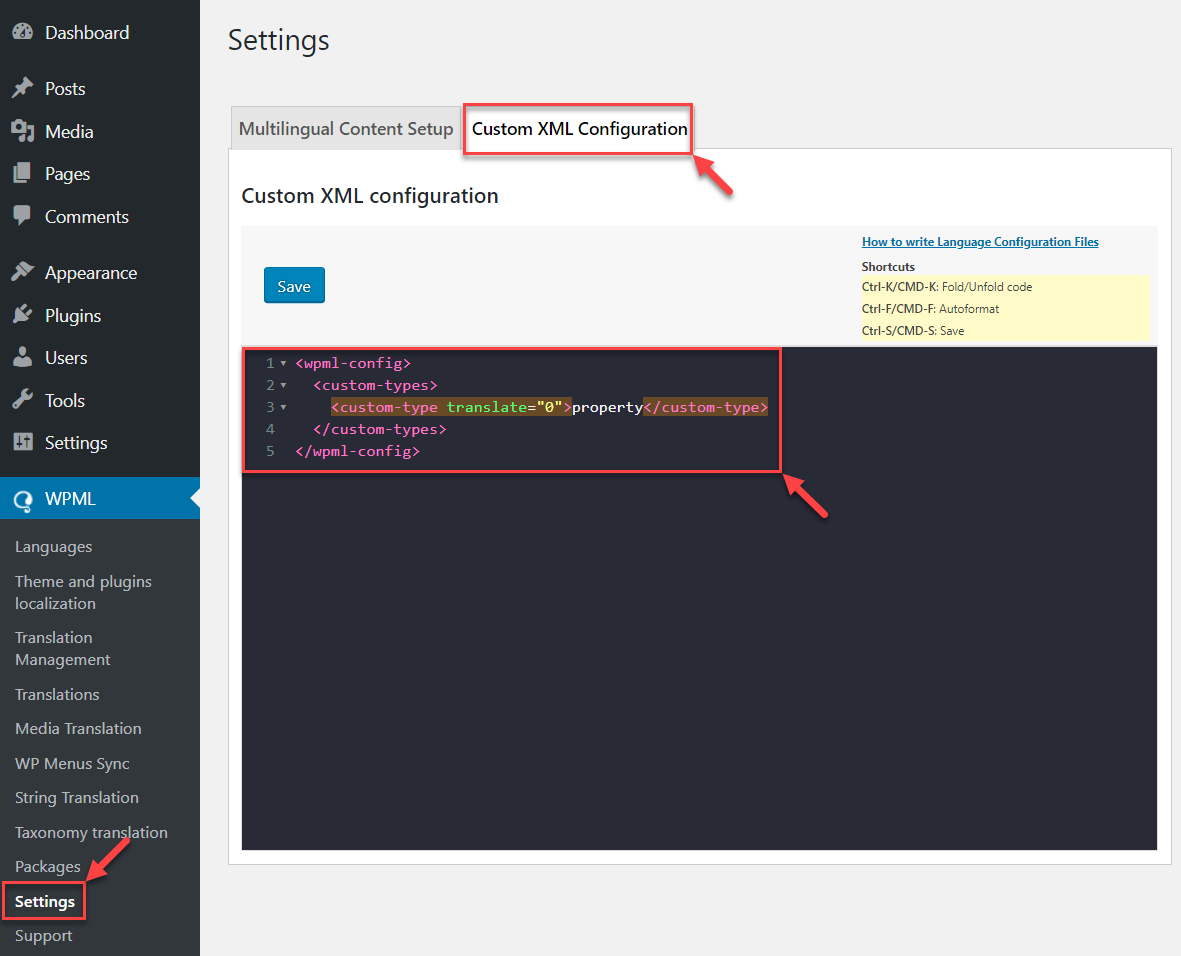
2. Custom types - the custom post types that WPML should translate.
e.g.
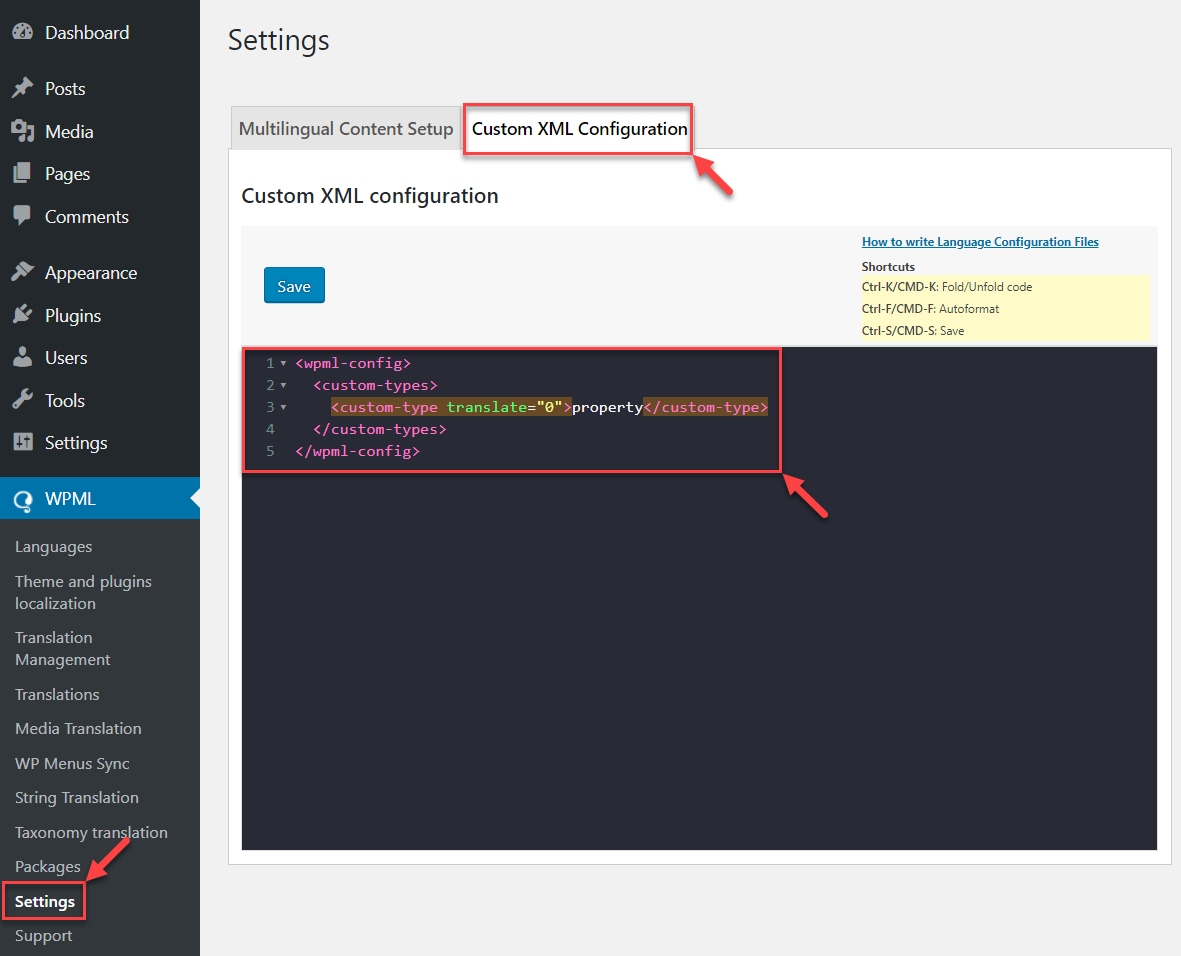
<custom-types> <custom-type translate="1">book</custom-type> <custom-type translate="1">DVD</custom-type> </custom-types>
3. Custom taxonomies - the custom taxonomies that your plugin might be using and that are already registered with WP.
e.g.
<taxonomies> <taxonomy translate="1">genre</taxonomy> <taxonomy translate="1">type</taxonomy> <taxonomy translate="0">publisher</taxonomy> </taxonomies>
Note: the taxonomies that don’t need translation can simple be omitted from this list.
4. Admin texts / wp_options – strings that are part of the options that the plugins or themes save in the wp_options table.
When themes and plugins use get_option, they read values from the wp_options table. WPML can filter these calls and provide translation to the values of these options.
This works if the wp_option record is a simple string but also when it’s a serialized array.
To translate a single option, add a key entry under admin-texts. To translate a serialized array, add several keys under a key, like you can see in my_plugin_options in the example below.
e.g.
<admin-texts> <key name="my_plugins_options"> <key name="option_name_1" /> <key name="option_name_2" /> <key name="options_group_1"> <key name="sub_option_name_11" /> <key name="sub_option_name_12" /> </key> <key name="options_group_2"> <key name="sub_option_name_21" /> <key name="sub_option_name_22" /> </key> </key> <key name="simple_string_option"/> </admin-texts>
5. Language switcher configuration – enables a specific configuration for the WPML built in language switcher. It can also be used for resetting the language switcher configuration if it was changed from the backend (from its initial values).
e.g.
<language-switcher-settings> <key name="icl_lang_sel_config"> <key name="font-current-normal">#444444</key> <key name="font-current-hover">#000000</key> <key name="background-current-normal">#ffffff</key> <key name="background-current-hover">#eeeeee</key> <key name="font-other-normal">#444444</key> <key name="font-other-hover">#000000</key> <key name="background-other-normal">#ffffff</key> <key name="background-other-hover">#eeeeee</key> <key name="border">#cdcdcd</key> </key> <key name="icl_lang_sel_footer_config"> <key name="font-current-normal">#444444</key> <key name="font-current-hover">#000000</key> <key name="background-current-normal">#ffffff</key> <key name="background-current-hover">#eeeeee</key> <key name="font-other-normal">#444444</key> <key name="font-other-hover">#000000</key> <key name="background-other-normal">#ffffff</key> <key name="background-other-hover">#eeeeee</key> <key name="border">#cdcdcd</key> </key> <key name="icl_language_switcher_sidebar">0</key> <key name="icl_widget_title_show">0</key> <key name="icl_lang_sel_type">dropdown</key> <key name="icl_lso_link_empty">0</key> <key name="icl_lso_flags">0</key> <key name="icl_lso_native_lang">1</key> <key name="icl_lso_display_lang">1</key> <key name="icl_lang_sel_footer">0</key> <key name="icl_post_availability">0</key> <key name="icl_post_availability_position">below</key> <key name="icl_post_availability_text">This post is also available in: %s</key> </language-switcher-settings>
Not all of these 5 sections have to be present in the configuration file but just the ones that apply to your plugin or theme.

How do I get back the options ? I have set up the XML file properly (I think, because the options values actually appear in the strings to translate). But in the plugin no way to get this options values back (I do something like $this->options['my_option_key']). Any advice? Furthermore, somewhere in my plugin, I need to access all the possible values for the option, how to do it?
Sorry, but I didn’t understand the question. Maybe you can show with a screenshot and explain which options you want to get back and where.
Hi,
The need is the following: my plugin (User Messages) uses a static page (where you have a shortcode that gets replaced) as the main user interface. So in your blog you get URLs such as http://example.com/message-center/inbox or http://example.com/message-center/new-message/. The permalinks can be adjusted by the administrator that could choose my-inbox instead of inbox (stored in the plugin options).
Now when WPML is installed, those permalinks need also translation. So far, I can manage to have the main URL available but not the last part of the URL: http://example.com/fr/messagerie/inbox and http://example.com/messagerie/new-message/. What would be correct is: http://example.com/fr/messagerie/boite-de-reception for instance.
We’ve set custom fields to ‘copy’ but when we go to translate a post from English to spanish, we are not getting the custom fields copied over. These post types have about 20 custom fields and very tedious to copy over since we have over 500 posts.
Could you let me know any possible scenarios where custom fields in posts wouldn’t transfer over when doing the translation?
Do you need technical help? We do offer commercial support subscriptions.
See
http://forum.wpml.org/topic.php?id=3575&replies=1#post-15871
Please help me why my Custom fields are disable in WPLM
The correct place to request support is in our forum.
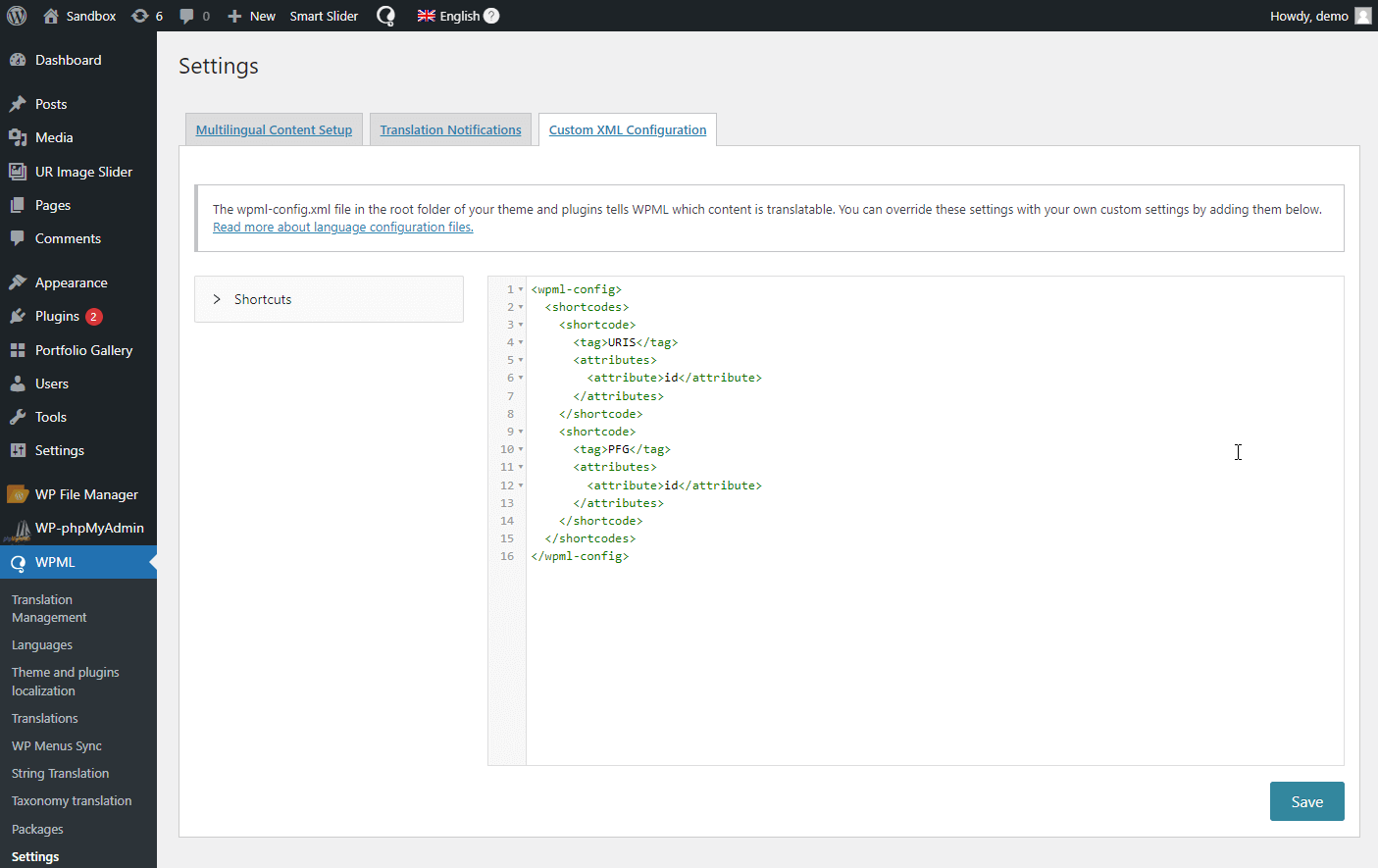
Does the page changed name from “Multilingual content setup” in 2.3.4? Is it now “Translation options” ?
If you are not using the translation management module, it is under “Translation options”.
Ah okay, I didn’t install that yet
I’m having a difficult time following your instructions. Let say I set up the XML correctly, where do I perform the translation?
This is what I’ve found:
c2_slide_button_txt_1: Read More
no_slider_text:
blog_button_text:
contact_field_name1:
contact_field_value1:
contact_field_name2:
contact_field_value2:
contact_field_name3:
contact_field_value4:
contact_field_name5:
contact_field_value5:
contact_field_name6:
contact_field_value6:
contact_field_name7:
contact_field_value7:
[Edit translatable strings]
I don’t see how to translate these items though.
The better place to ask for technical help is in our forum. Can you repost this there?
Thank you, I was able to figure it out on my own. I guess I was just a bit confused as to where to find the items. Remove my posts, if you’d like.
I can’t find the “Multilingual Content Setup” admin page. But anyway, I need to translate the string “This post is also available in: %s.”, what can I do?
Can you post about this in our technical forum?
Hi, I’m beginning with WPML and it seems powerfull but sometime I’m a bit confused. I’m a graphic designer not really a coder and I also beginer with WP… so…
I don’t really understand what those custom fields are and if I need to translate or copy or do nothing…?!
could you explain to me the reson of this considerations?
thank you very much for your help…
That really depends on what you’re doing with custom fields. If you want a simpler way to handle custom fields, one which also plays perfectly with WPML, have a look at Types:
wordpress.org/extend/plugins/types/
Uh, I just bought this plugin and I must say I’m a bit confused. It seems very complicated to me to configure all this.
I use to modify the php files so the words in it are stored “hard”… I’m not going to create a sidebar to put simple links in my footer!
Is there a way to put conditions within the php files, like “if in english display this”? That would be much easier for me that way.
Thx
I suggest that you create a thread in our forum, explain what you’re trying to do (with links and specifics) and our support folks will surely help you.