


In this tutorial, you will learn how to set up the Smush plugin to optimize images on your multilingual site powered by WPML.
Getting started
Make sure that you have activated the Smush (opens in a new tab) plugin by navigating to PluginsInstalled Plugins.
Also, make sure that you have activated the WPML Multilingual CMS and WPML String Translation plugins. In case you want to have different images for the pages that you will translate, please activate the Media Translation plugin.
WPML translation tools
We recommend using WPML’s Advanced Translation Editor as it offers affordable automatic translation, a glossary, a spell checker, and more!
Besides translating your site content yourself, you can also:
- Send your content for translation to a professional translation service.
- Create your own team of local translators from the Translators tab under WPMLSettings and assign translation jobs to them.
Setting Smush on multilingual sites
The Multilingual CMS plugin allows you to translate the media metadata such as the title, Alt text, and caption while translating the page or post content. You can also use a different image for the translation via the WPML Media Translation add-on. You can find more information about this in our guide about Media Translation.
Enabling automatic compression
In Smush settings, you can enable the feature that automatically compresses the default language image. This will also compress images in secondary languages (in case you’re using different images for translations).
To enable this option, go to SmushSettings and turn on Automatic Compression.
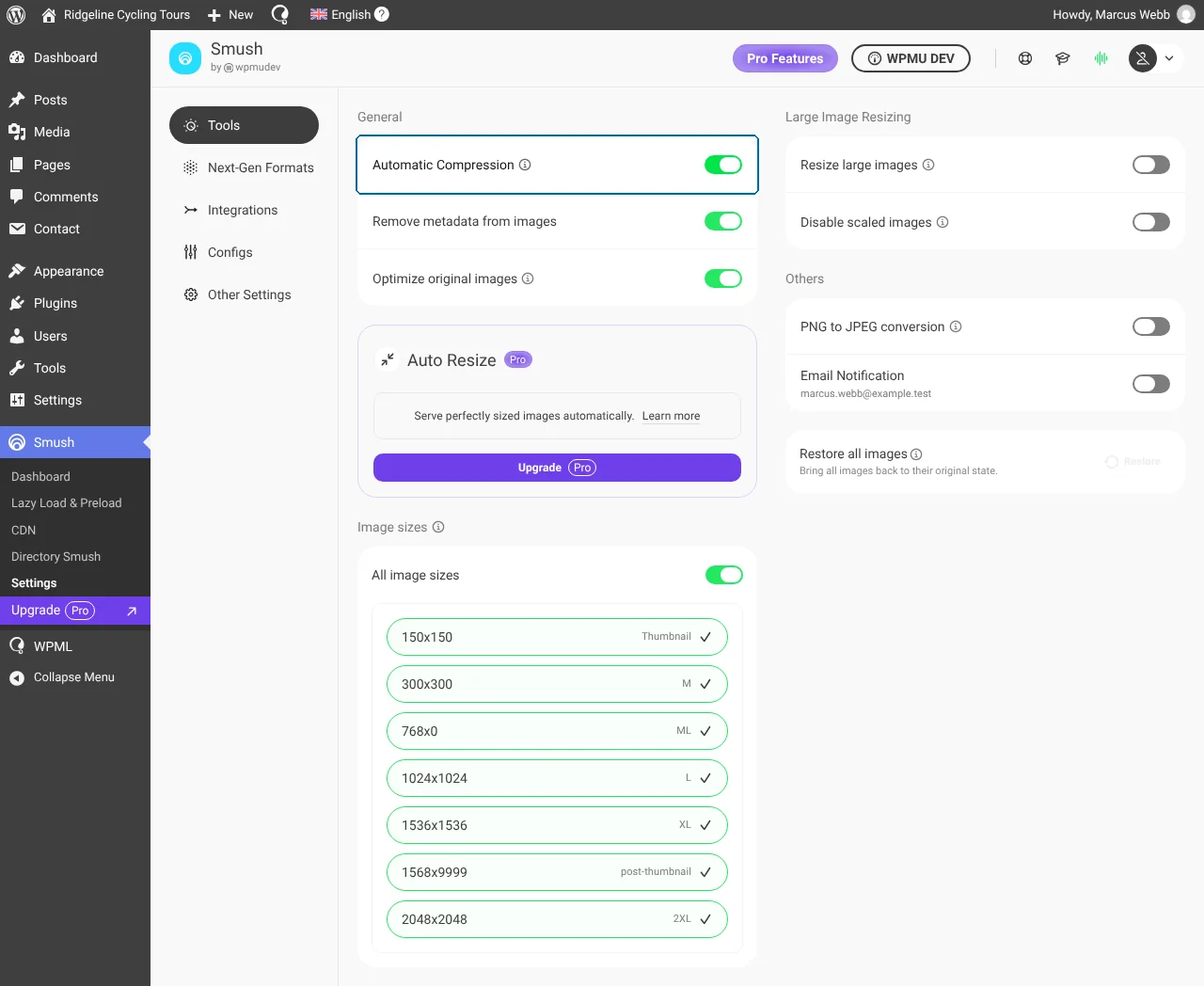
Disabling automatic compression
If you disable automatic compression, you will need to compress the images (attachments) manually:
- Go to SmushDashboard.
- In the Media Library box, click Scan site if your images have not been counted yet.
- Choose a compression level and click Optimize images. The button shows how many images it will process.
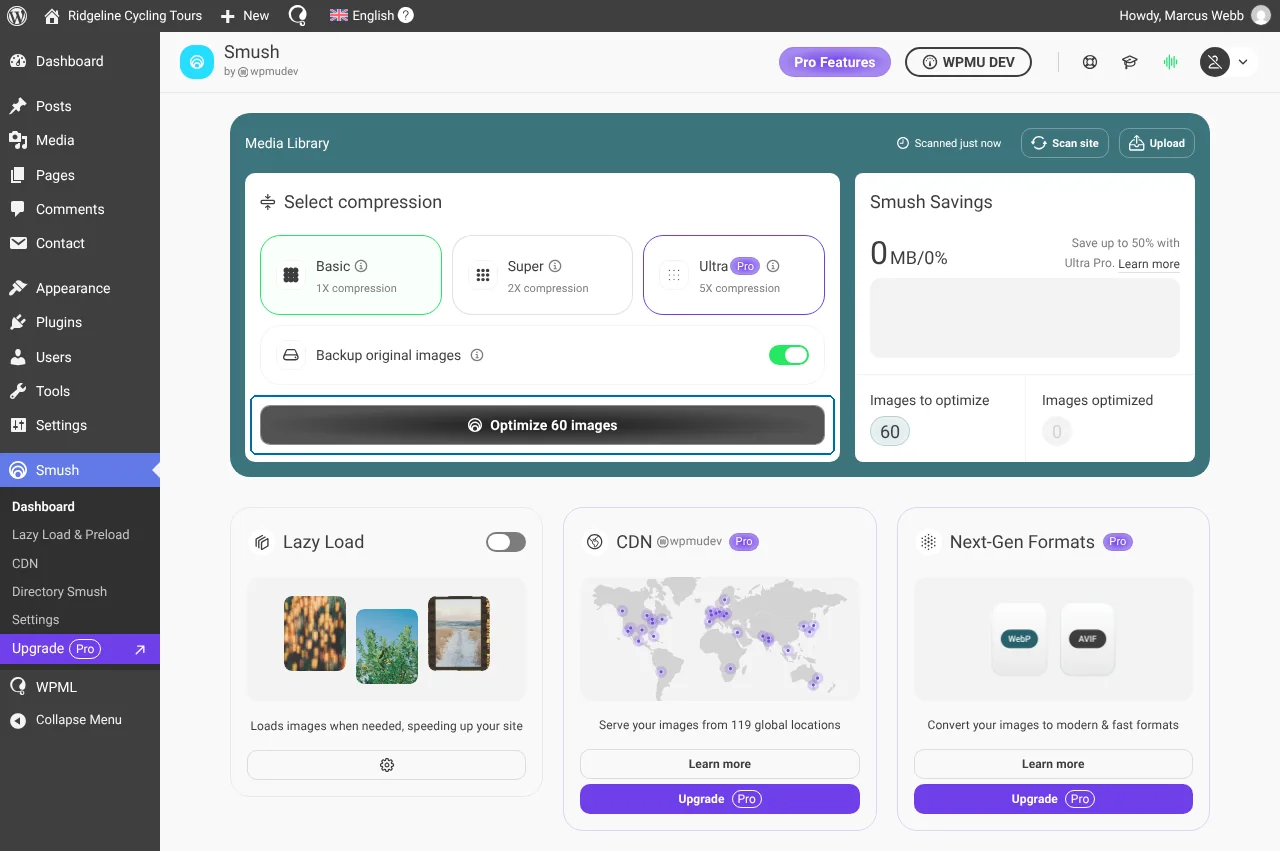
Whether you are using the same images across translations or different ones, the Smush plugin will compress all the images.
Need help?
Need help with optimizing your images using Smush on WPML multilingual sites? ask a question in WPML support.
